
A brief asks your members for posts about named products. Add a gift code and each member who accepts gets those products free.
Your new overcoat lands next week. You want it on real people before the email goes out, and you want to know who posted.
Write and send a brief
- Start a brief. Open Briefs and choose New brief. Give it a title members will understand.
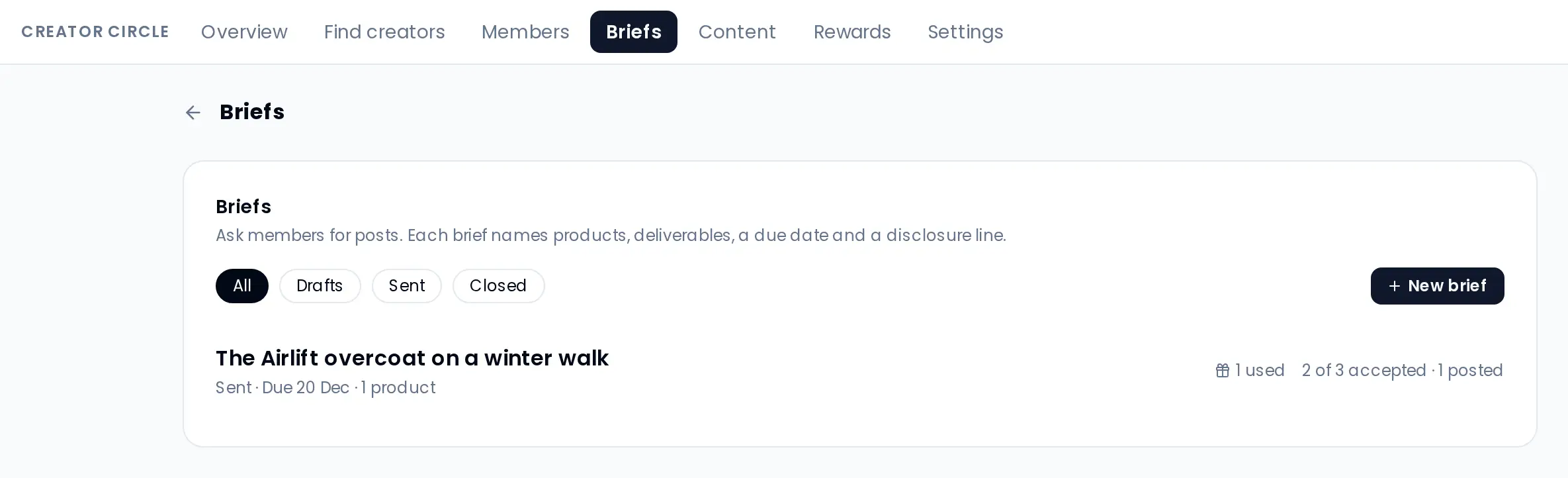
The Briefs list with All, Drafts, Sent and Closed filters and a New brief button - Pick the products. Search your catalogue and tick up to 25 products. The brief shows each one with its image.
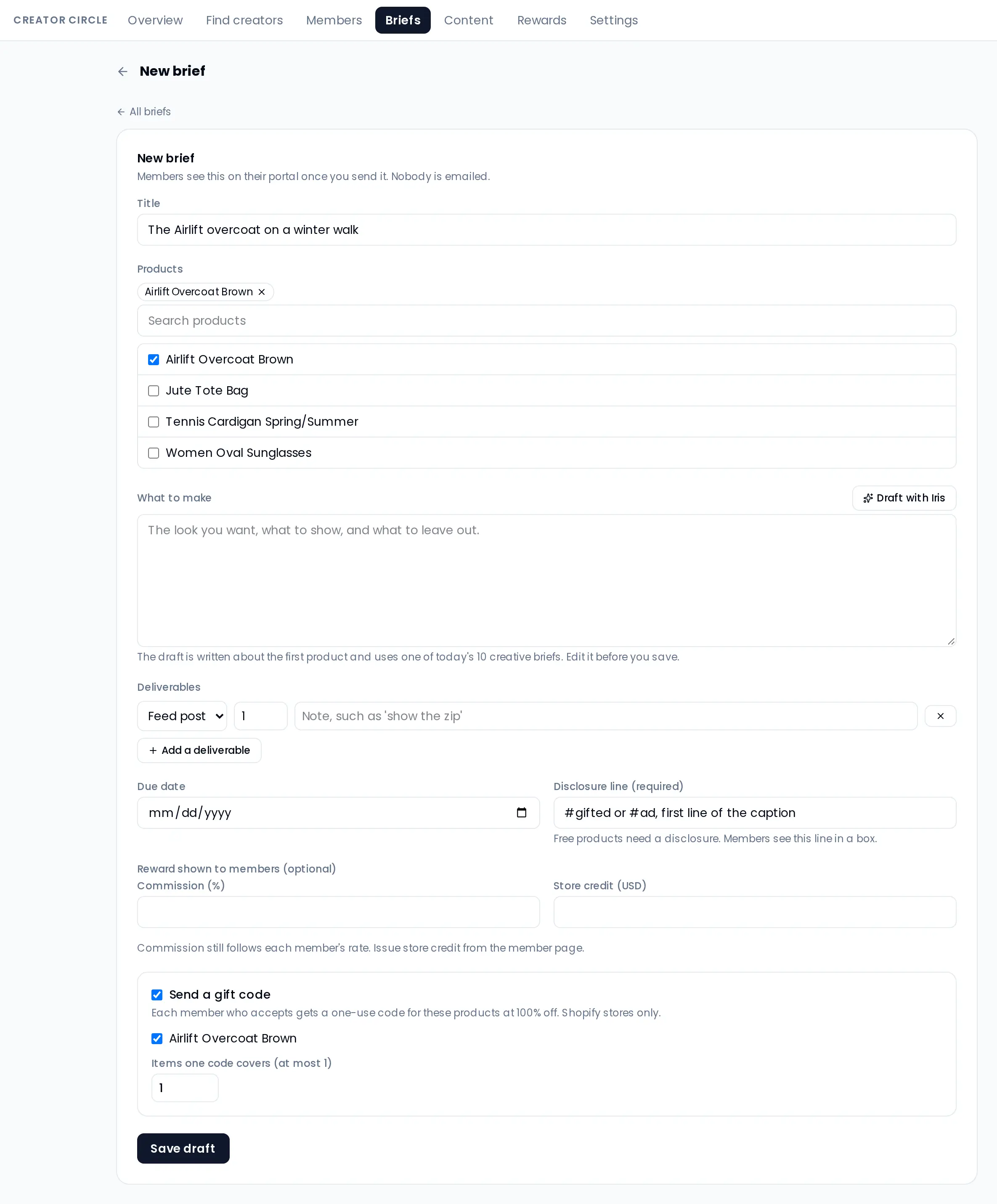
The New brief form: title, products, what to make, deliverables, due date, disclosure line, reward and Send a gift code - Say what to make. Describe the look you want, what to show and what to leave out. Draft with Iris writes a first draft about the first product.
- Add deliverables and a due date. Add up to 10 lines: feed post, reel, story, video, review or other. Set how many and add a note.
- Keep the disclosure line. The disclosure line is required. It starts as "#gifted or #ad, first line of the caption". Members see it in a box.
- Add a gift code. Tick Send a gift code and pick the gift products. Each member who accepts gets a one-use code at 100% off.
- Save, then send. Choose Save draft. On the brief, choose Send to members. Members see it on their portal. Nobody is emailed.
Follow each member
The brief page shows each member’s state, their post and their gift code. A pasted post link turns into Post found once we match it in your posts.
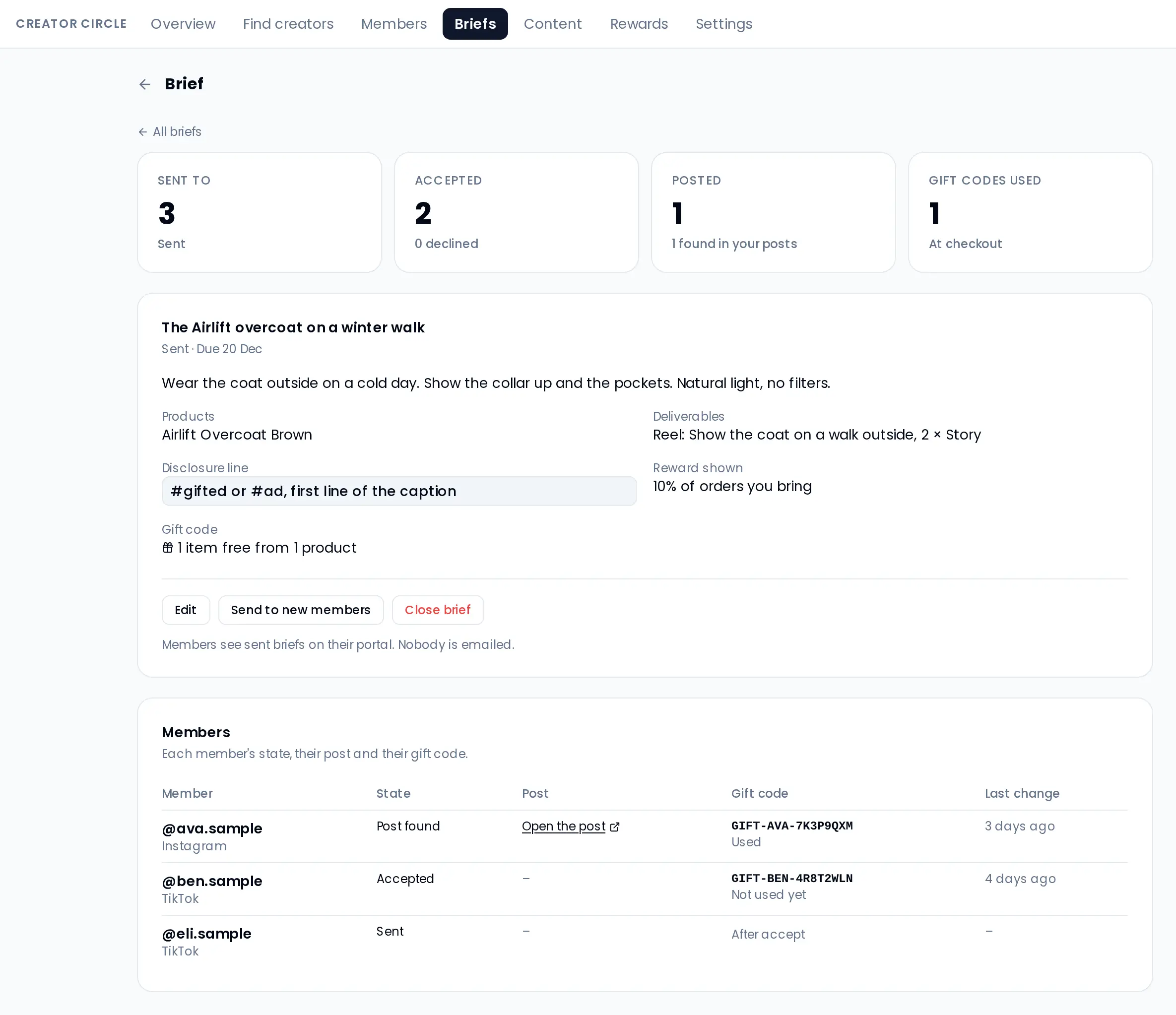
| State | What it means |
|---|---|
| Sent | The member can see the brief and has not answered. |
| Accepted | They said yes. A gift code is made for them. |
| Declined | They said no. They can still accept later. |
| Posted | They pasted their post link. |
| Post found | We matched that link to a post in your collections. |
Gift code rules
- Gift codes work on Shopify stores only.
- Each code is used once and covers the gift products only.
- The item count follows the gift item limit in Settings.
- A code ends 14 days after the due date, or 30 days after accepting with no due date.
- Shipping is not included. Add a shipping code by hand if you want it free.
Common questions
- Can I send a brief to some members only?
- Send to members goes to every active member. Send to new members reaches people who joined after.
- Can I check the disclosure was used?
- No. The line shows on every brief in a box, and the terms ask for it.
- Does a gift code order earn commission?
- A gift code is the member’s code, so the order is credited to them like any code order.