
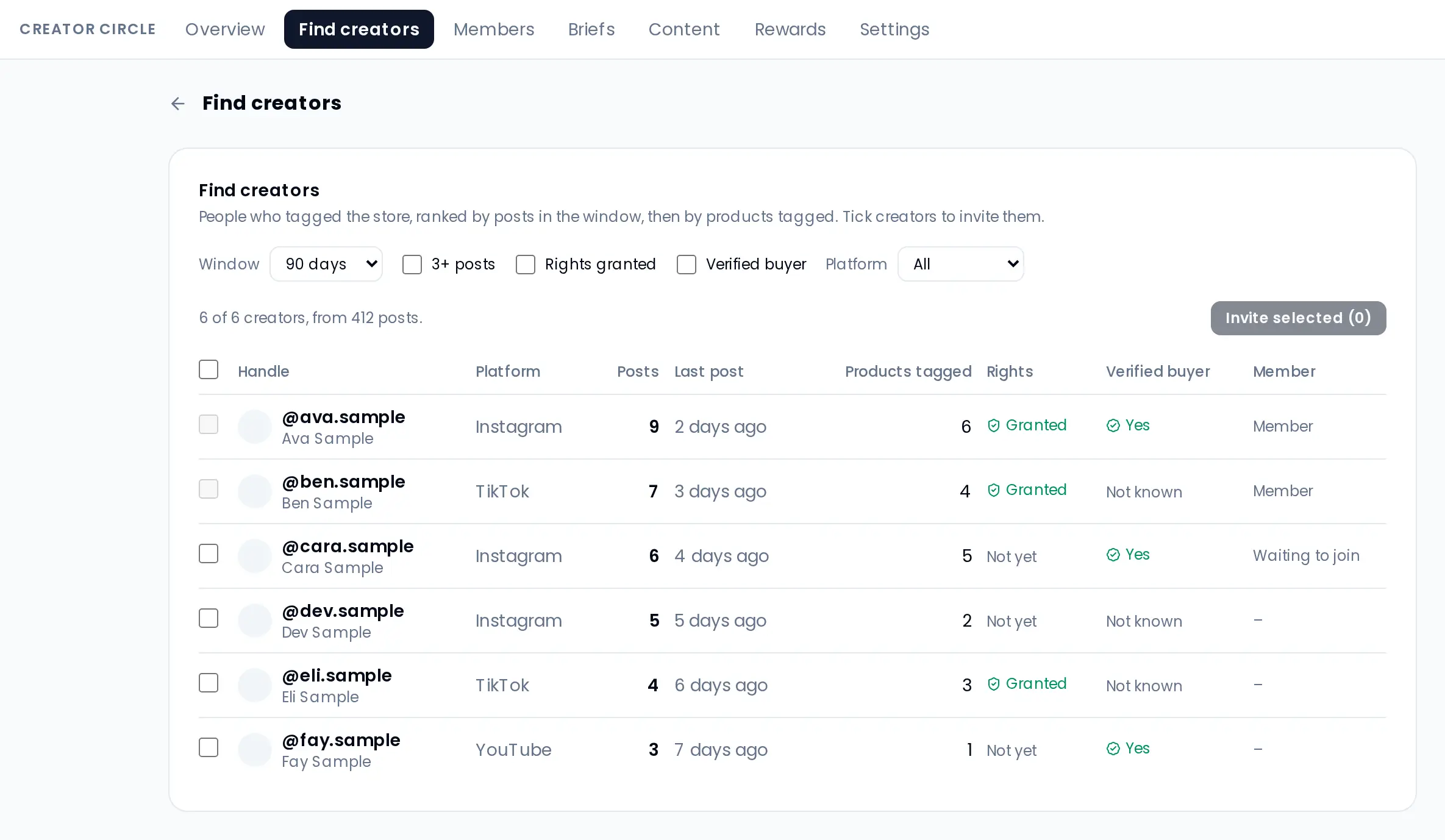
Find creators lists everyone who tagged your store, ranked by posts. Tick the regulars, choose Invite selected, then send each person their join link.
You already know a few names from your notifications. The list shows the rest, with who bought and who has cleared rights.
Invite your first creators
- Pick a window. Open Find creators. The list covers the last 90 days by default. Choose a longer window if posts are rare.
- Filter the list. Tick 3+ posts for regulars. Rights granted shows people who said yes before. Verified buyer shows posts proven to come from a buyer.
The window, 3+ posts, Rights granted, Verified buyer and Platform filters - Tick and invite. Tick each person you want, then choose Invite selected. One click invites up to 50.
- Copy each join link. A Join links box opens. Copy each link now, because it is shown once. Each link works for 30 days.
- Send it yourself. Paste the link in a DM, a WhatsApp message or an email. Idukki sends no invite emails.
- Watch who joins. Open Members. An invited person shows Waiting to join. Once they join, the status reads Member.
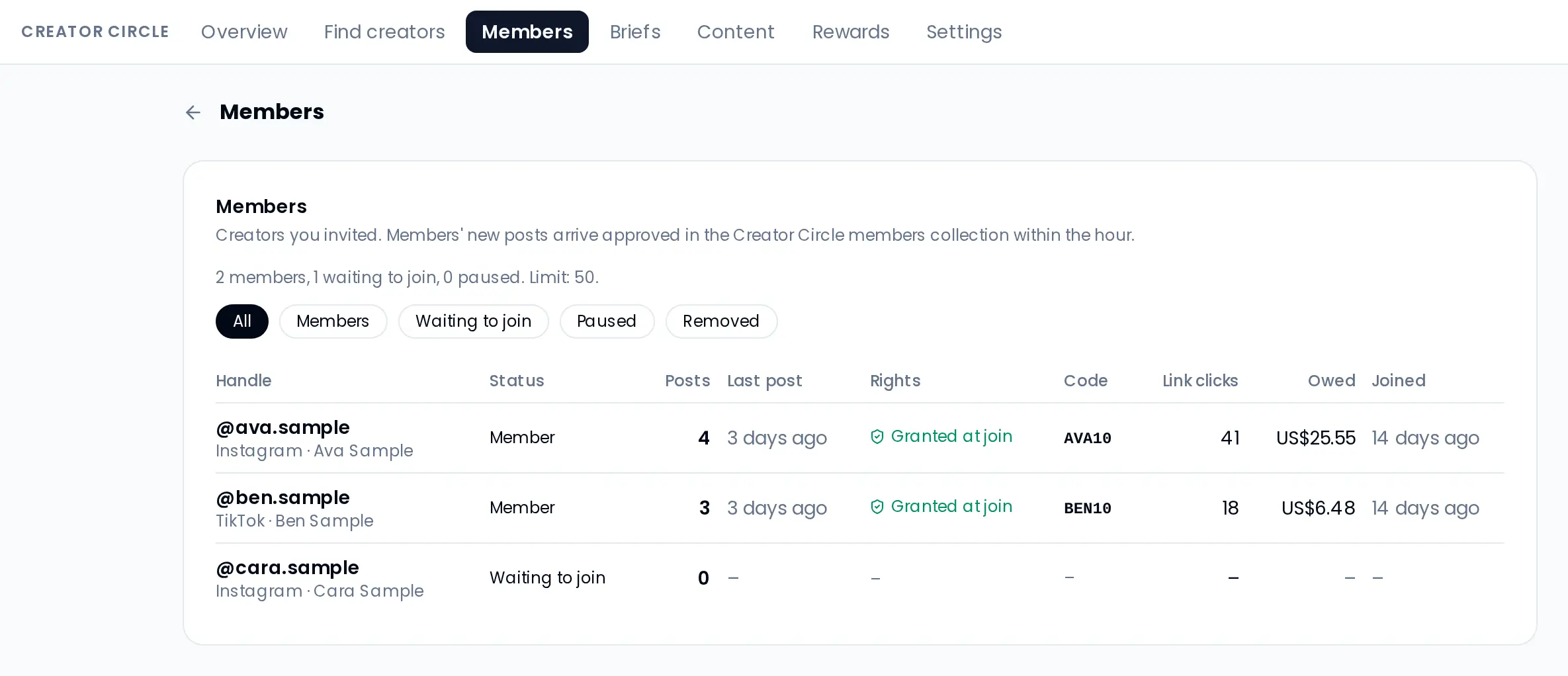
Members: status, posts, last post, rights, code, link clicks, owed and joined date
What the creator sees
The join link opens a phone page with your store name and what members get. Your rights terms show in full above an unticked I agree box.
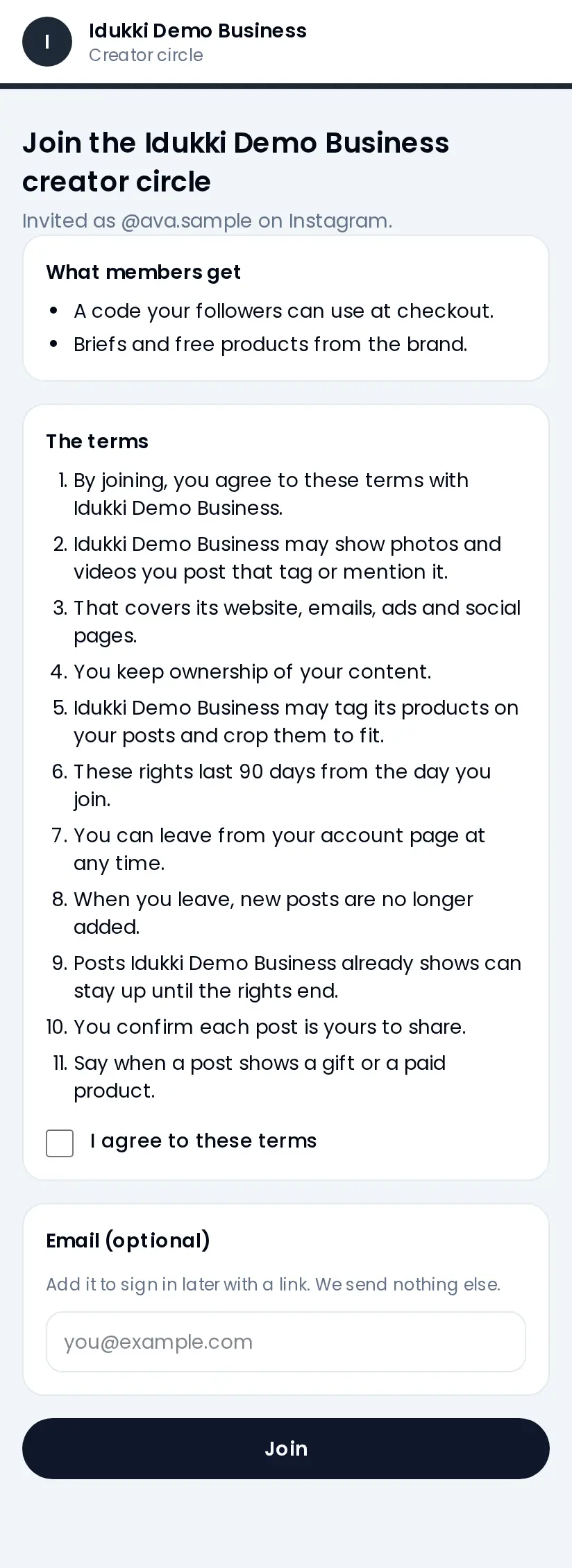
Joining clears their rights once. From then on, their new posts arrive approved in the Creator Circle members collection within the hour.
If something goes wrong
- A link expired: open the member in Members and copy a new join link.
- Your own account shows up: your own handles are left out of the list.
- The list is empty: connect a hashtag or mention collection first.
- Invites stop at the member cap: remove a member to make room.
Common questions
- Can I invite someone who never tagged me?
- Not from Find creators. The list holds people whose posts are in your collections.
- Do follower counts show?
- Only when the post’s source carries them. Otherwise the column stays hidden.
- What happens to rights when someone joins?
- They accept your terms once. Their later posts arrive approved, for the term you set.