
Labels are your own custom tags for organising posts ("Organize with custom tags"). They are internal: a way for your team to group, find and filter content. They are not the product tags a shopper clicks, and not the rights status. A post with labels shows a small count next to the Labels item in its menu.
Add labels
- Open the post’s menu. Click the three-dot actions menu on the post.
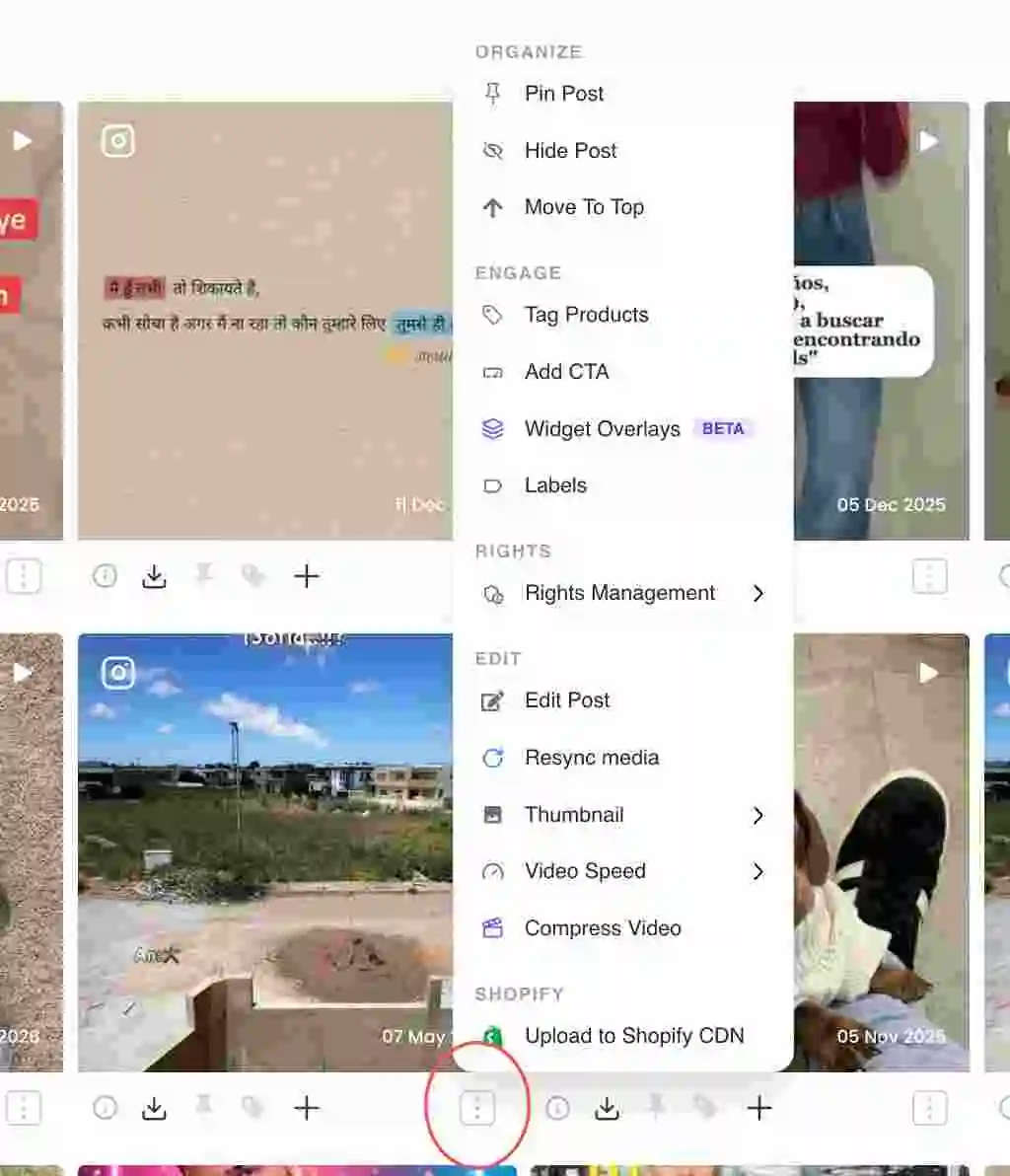
Three-dot actions menu on a post card - Choose Labels. Under the Engage section, click Labels ("Organize with custom tags").In the dashboard: Labels option under the Engage section of the post menu
- Add or pick labels. Create a new label or pick from ones you already use, and apply them to the post.In the dashboard: Label picker with existing labels and an add-new option
- Filter by label. Use the collection’s label filter chips to show only posts carrying a given label.
Labels vs product tags vs rights
- Labels: your internal organisation. Only your team sees them.
- Product tags: the SKUs a shopper clicks to buy. Added with Tag Products.
- Rights status: whether a post is cleared to publish. Set in Rights Management.
Related guides
- Add a CTA to a post: /help/add-a-cta-to-a-post
- Reorder posts in a collection: /help/reorder-posts
- Tag products manually: /help/manual-product-tagging


