
A source is where your UGC comes from: a social account, a hashtag, a mention feed or a review platform. Connecting one is the first real step, because everything downstream (collections, widgets, tagging) draws from the posts a source brings in.
Idukki supports Instagram, TikTok, YouTube, Twitter (X), LinkedIn, Threads, Facebook and Pinterest for social, plus Google Reviews, Trustpilot and TripAdvisor for reviews, and Judge.me product reviews through its own integration.
Add a source
- Open the Add Feed dialog. From a collection, click Add Feed (an empty collection shows a large Add Feed button in the middle of the page).
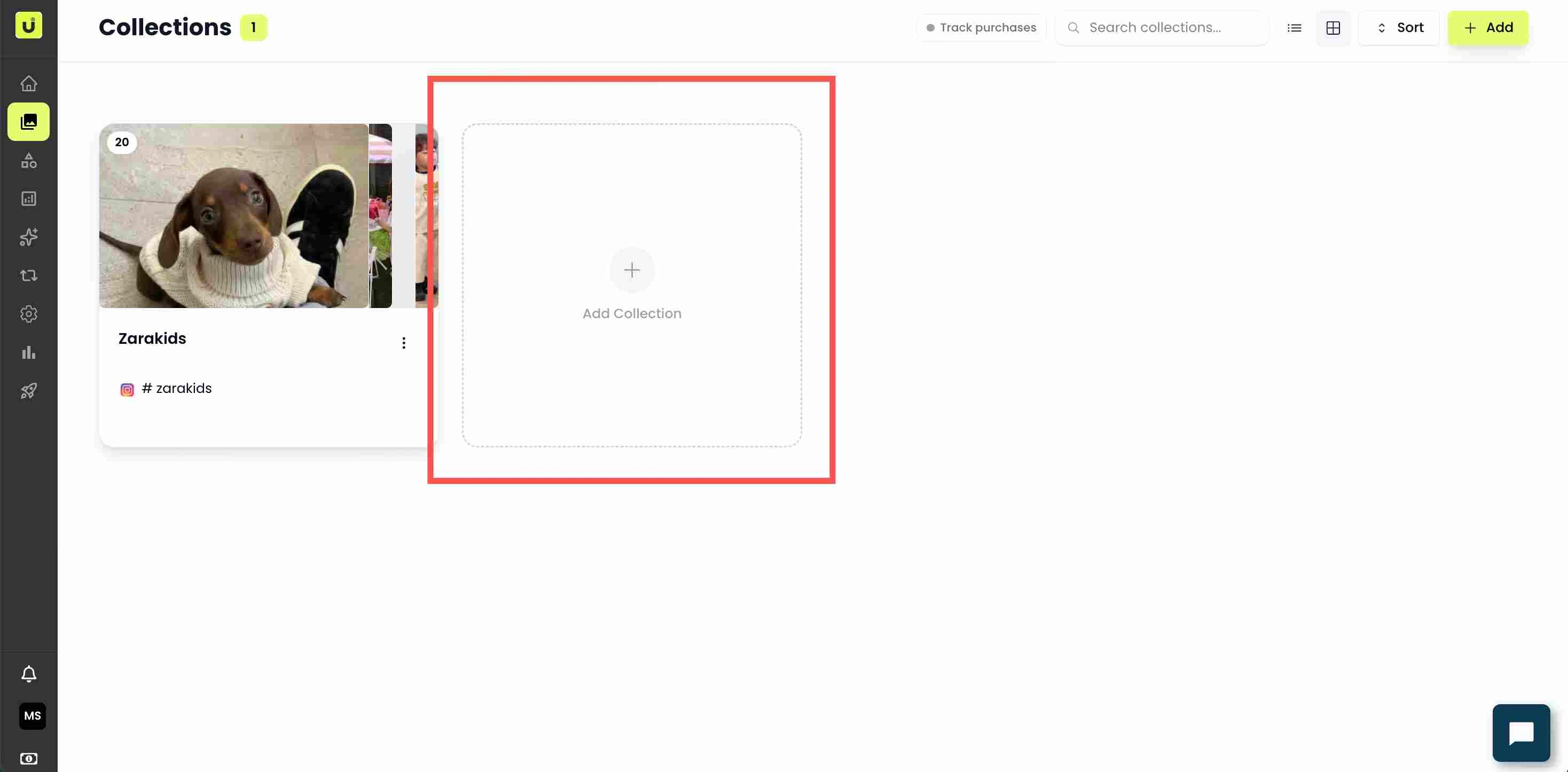
The Add Feed button on an empty collection - Pick a platform. In the Add Feed dialog, choose the source network from the left, for example Instagram or TikTok.
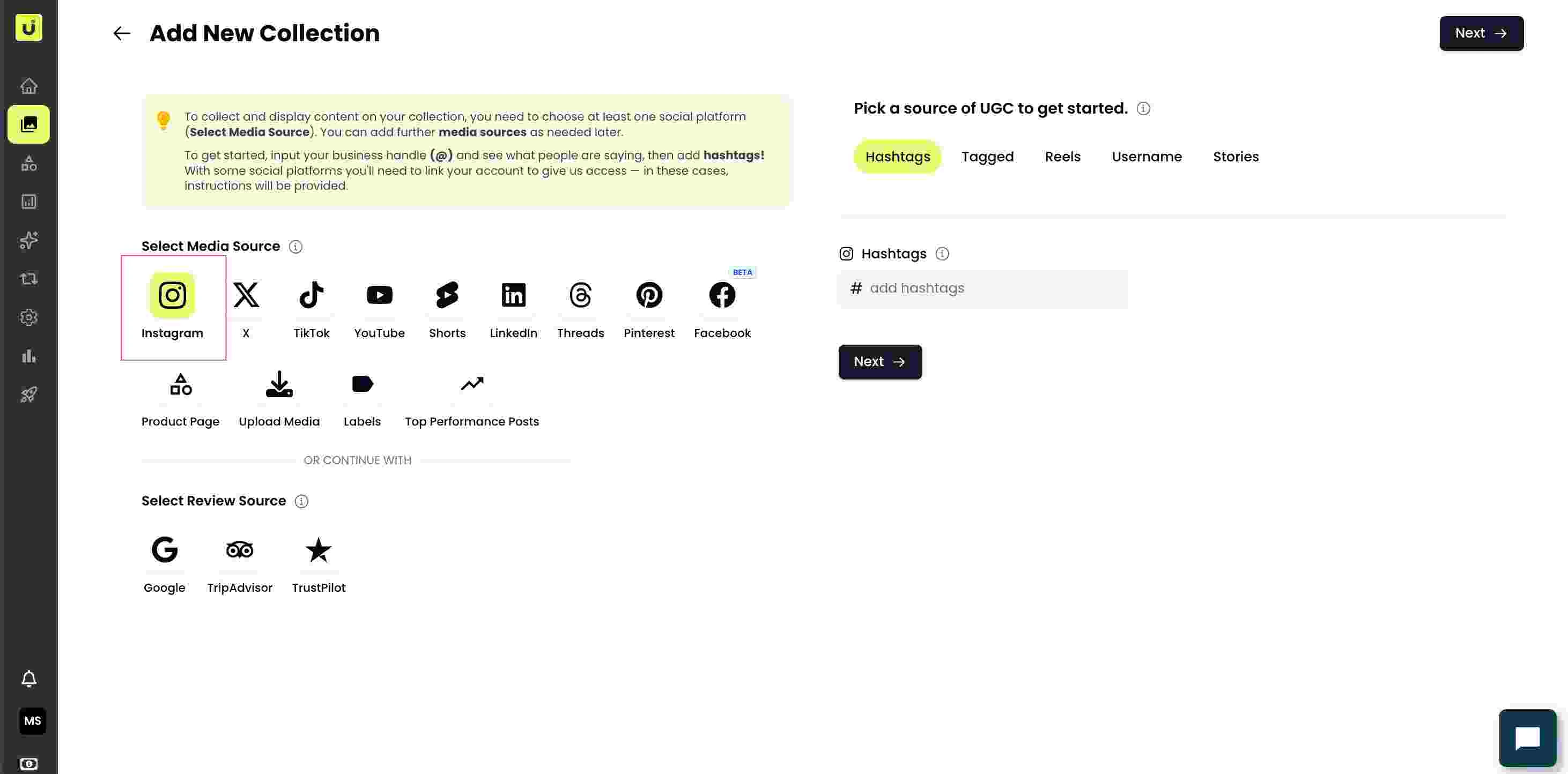
Source network picker in the Add Feed dialog - Choose the feed type. Each network offers feed types. On Instagram you can pick Username, Hashtag, Tagged, Reels or Stories; on YouTube it is Channel, Keyword or Playlist. Pick the one that matches what you want to import.
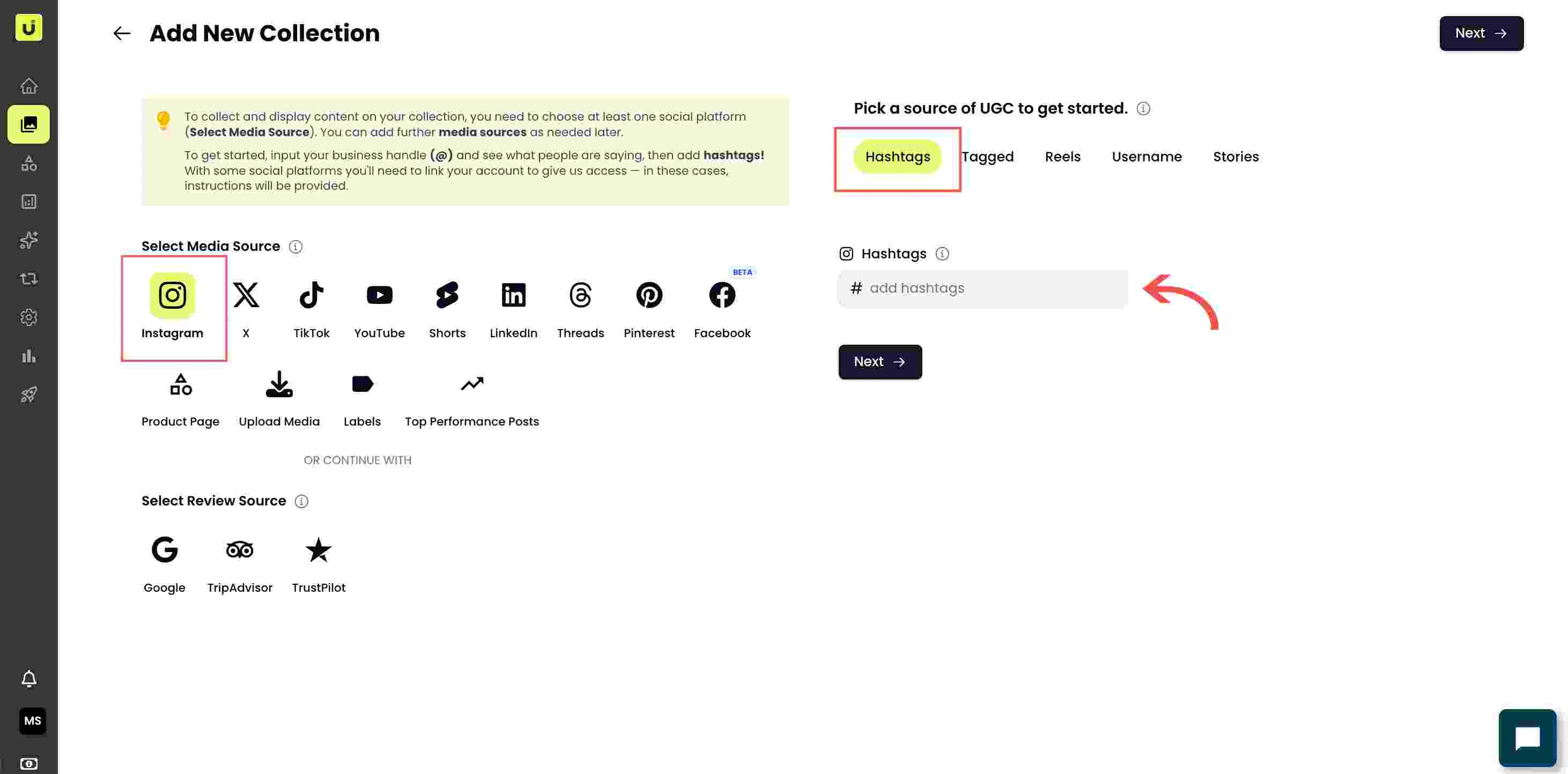
Feed type tabs (Username, Hashtag, Tagged, Reels, Stories) for the chosen network - Enter the handle or term. Type the value into the field. For a username, enter it without the @. For a hashtag, enter it without the #. Some types let you search and pick from a list.
- Authorise if asked. If the network needs an account connection (YouTube, for example), a connection dialog opens. Sign in and approve read access so Idukki can see public posts.
- Add it. Confirm to add the feed. The first import runs in the background, and the feed keeps refreshing as new matching content appears, so you do not re-import.
Common issues
If nothing imports, confirm the account or hashtag is public and that you approved read access during authorisation. Brand-new posts can take a little time to appear on the first sync. If a connection drops later, re-authorise the source from its settings.
Related guides
- Connect social sources (Instagram, TikTok, YouTube, X, LinkedIn, Threads, Facebook, Pinterest): /help/connect-social-sources
- Connect review sources (Google, Trustpilot, TripAdvisor, Judge.me): /help/connect-review-sources
- Upload content from your device: /help/upload-content-from-device


