
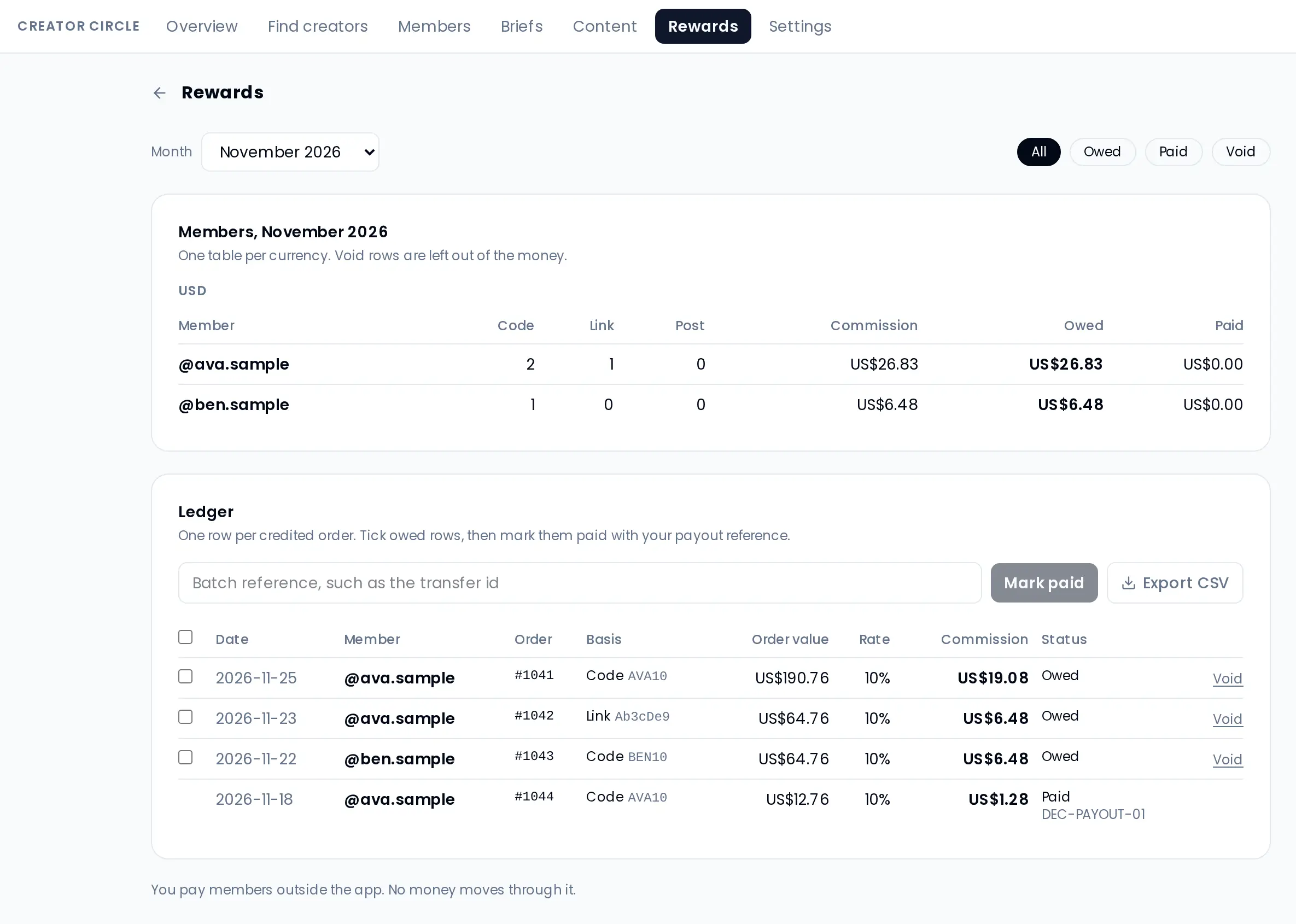
Rewards lists every credited order and its commission, one table per currency. You pay members yourself, then mark the rows paid.
Month end. Three creators ask what they earned. You open one page, export a file and pay them in ten minutes.
Pay your members for a month
- Pick the month. Open Rewards and choose the month. Filter by All, Owed, Paid or Void.
- Check the members table. Each member shows orders by code, link and post, then commission, owed and paid. Each currency has its own table.
- Export CSV. Choose Export CSV for your records or your payout tool. A month’s file holds up to 5,000 rows.
- Pay outside Idukki. Pay each member by bank transfer, PayPal or whatever you use. No money moves through the app.
- Mark the rows paid. Tick the owed rows, type a batch reference such as the transfer id, and choose Mark paid.
- Void a row if needed. Choose Void on a row and say why. Void rows are left out of the money.
Store credit
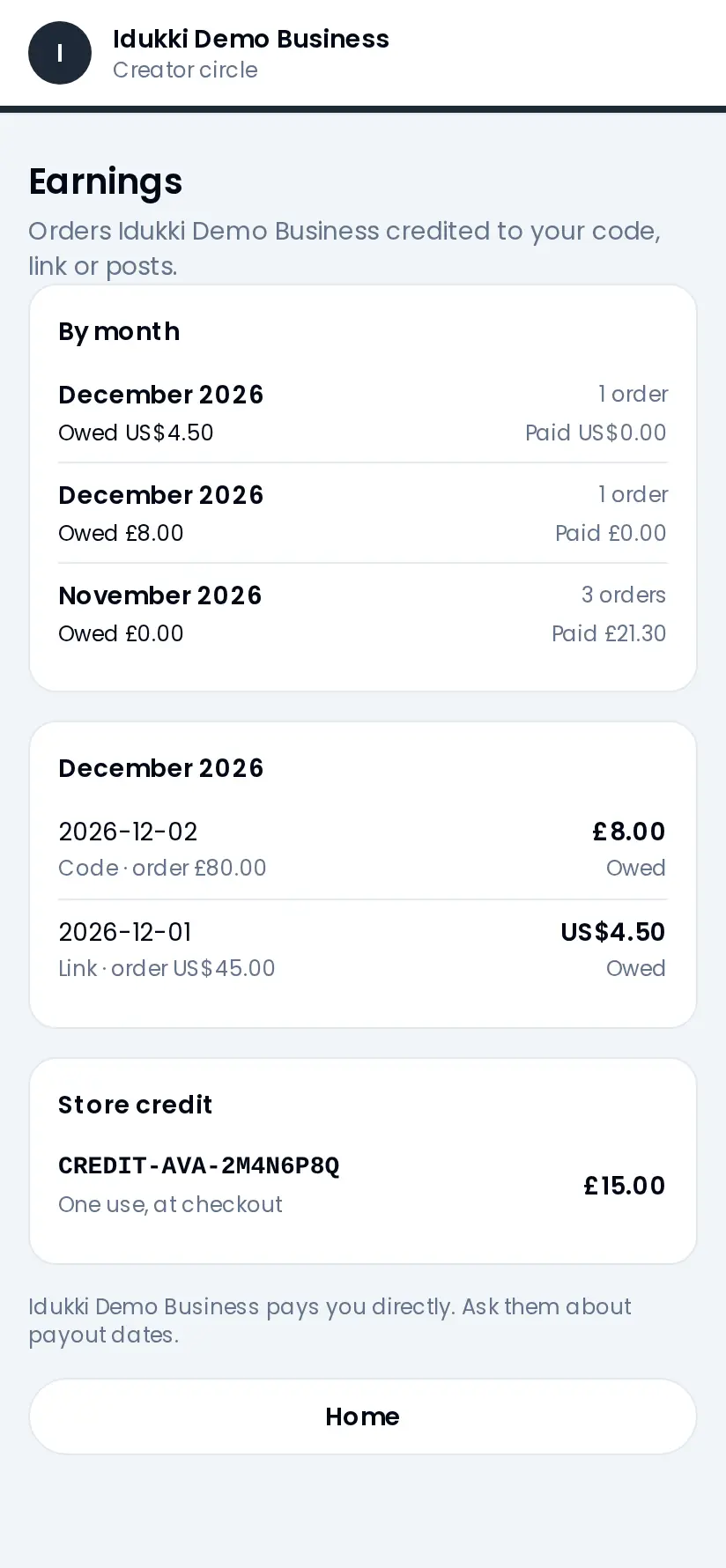
Some creators would rather have product. On a member’s page, under Store credit, enter an amount and issue it. They get a one-use code for that amount.
The member sees the code on their earnings page. Store credit codes work on Shopify stores.
Common questions
- Does Idukki pay creators for me?
- No. You pay them, then mark the rows paid with your reference.
- Why are there two tables?
- Orders in two currencies stay apart. We never add pounds to dollars.
- Can members see order numbers?
- No. Their earnings page shows months, totals and store credit codes.