
Creator Circle turns the people who already tag your store into a team you brief, gift and pay. Set it up once in Settings, then invite them from Find creators.
Monday morning, you scroll your tagged posts. The same six faces keep showing up. Nobody has thanked them, and you cannot tell which one sells.
What you need
- The Creator Circle add-on: $49 a month or $490 a year, for up to 50 creators. See Creator Circle billing.
- A paid Idukki plan.
- A hashtag or mention collection, so Find creators has posts to rank.
- Shopify, for follower codes and gift codes. Other stores share tracked links.
Set up your circle
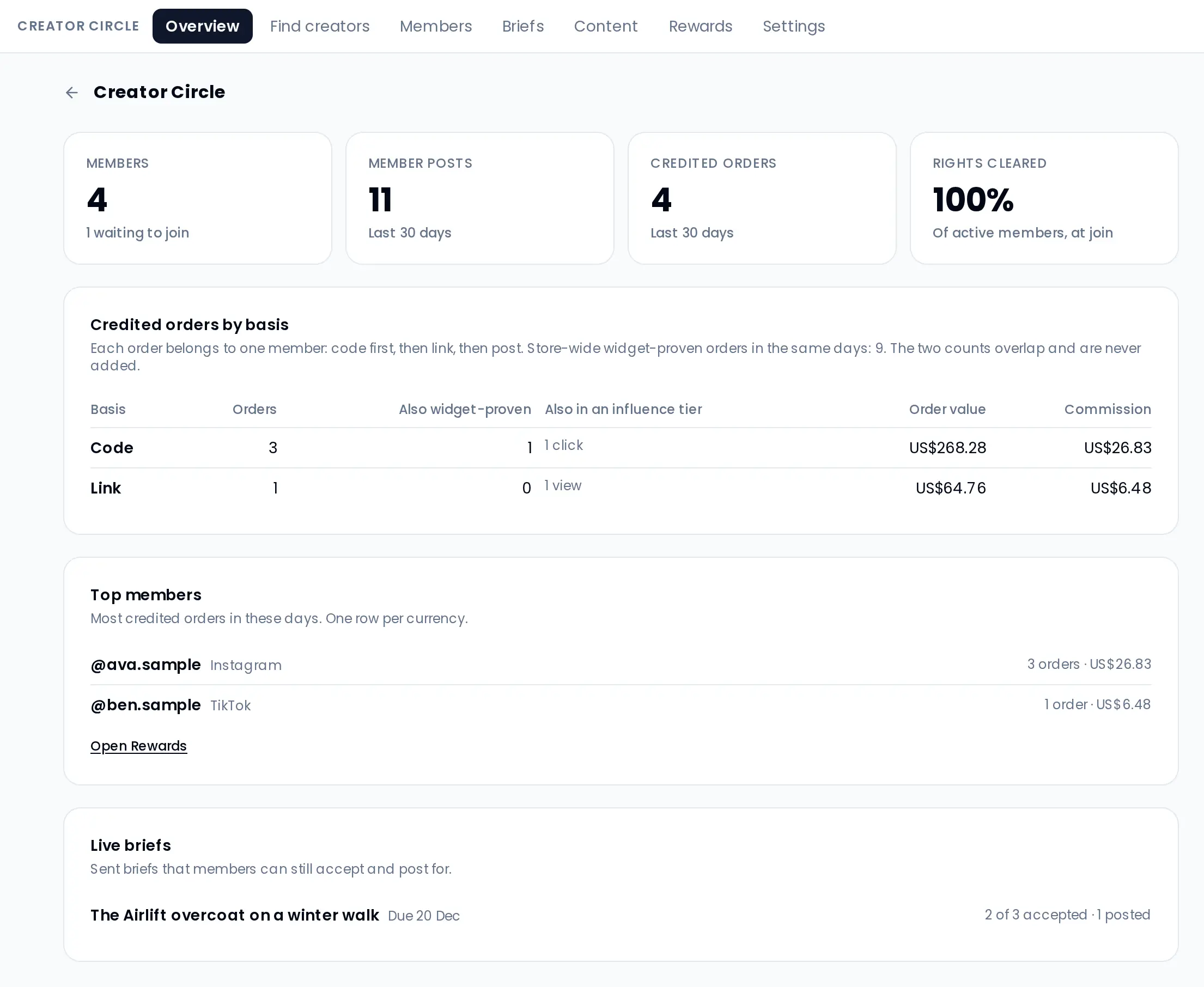
- Open Creator Circle. In the sidebar, under Sell with UGC, choose Creator Circle. The tabs are Overview, Find creators, Members, Briefs, Content, Rewards and Settings.
- Name the circle. Open Settings. The circle name is what creators see when they join. The portal link is the address of their page.
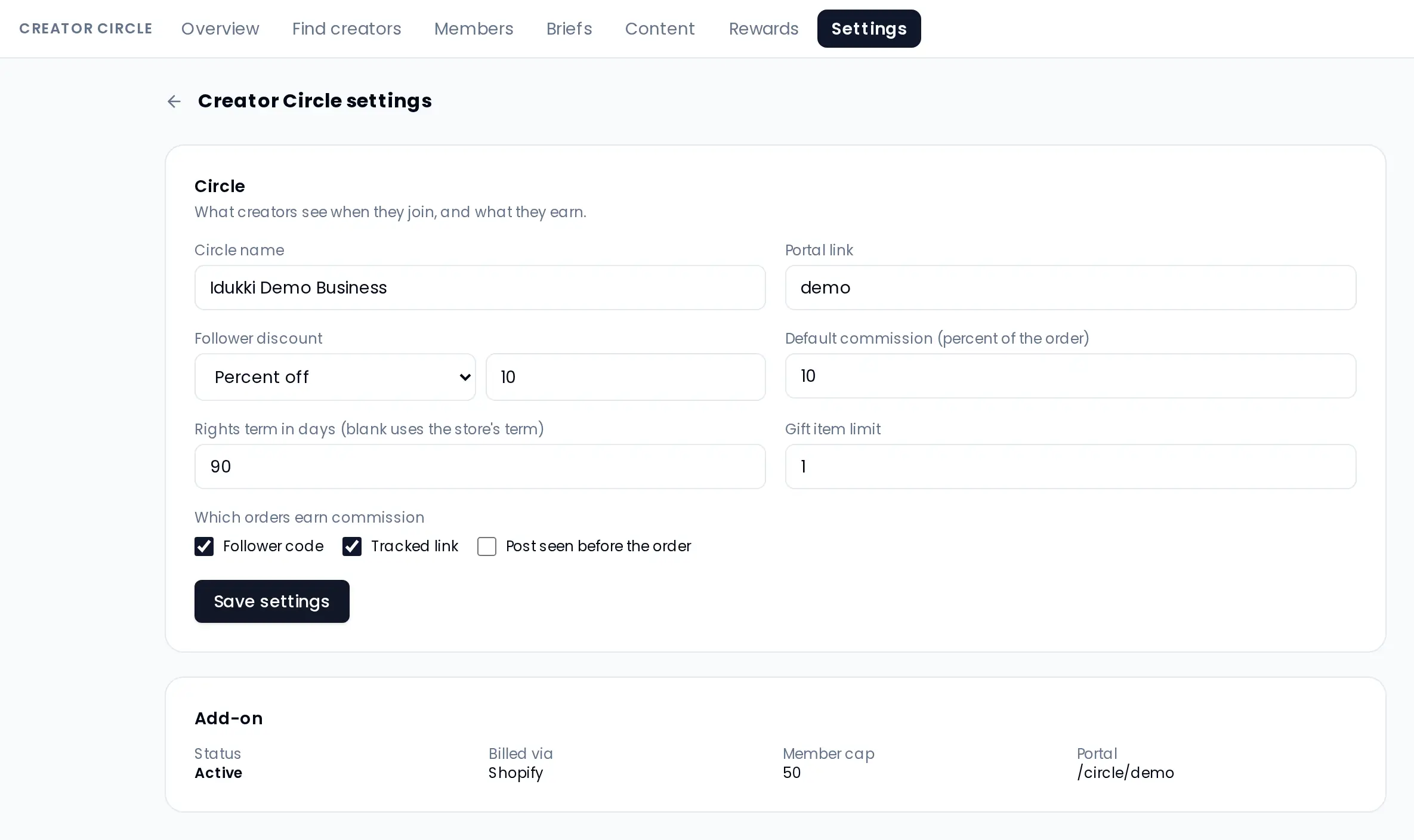
Creator Circle settings: circle name, portal link, follower discount, commission, rights term and gift item limit - Set the follower discount. Pick Percent off or Amount off, then the size. Every member’s follower code gives this discount. It starts at 10% off.
- Set the commission and what earns it. Default commission is a percent of the order. Under Which orders earn commission, tick Follower code, Tracked link, or both.
- Set the rights term and gift limit. Rights term in days sets how long a member’s rights last. Leave it blank to use your store’s term. Gift item limit caps free items per gift code.
- Save and find your first creators. Choose Save settings. Then open Find creators and invite the people who post about you most.
How the parts fit
| Tab | What you do there |
|---|---|
| Find creators | See who tagged you most in the window. Invite them. |
| Members | Copy join links, codes and sign-in links. Pause or remove a member. |
| Briefs | Ask members for posts, with products, a due date and a gift code. |
| Content | Member posts arrive approved. Tag products and use them in galleries. |
| Rewards | See credited orders by month. Export a CSV, then mark rows paid. |
Common questions
- Who can join a circle?
- Anyone you invite with a join link. Most are customers who already tag your store.
- Does Idukki email my creators?
- No. You send each join link yourself. A creator gets an email only when they ask for a sign-in link.
- How many creators can I have?
- Up to 50. Invited, active and paused members all count.