
Met taggen koppel je een post aan de producten die erin te zien zijn, zodat shoppers kunnen kopen wat ze zien. AI-tagging verwerkt grote aantallen, maar met handmatig taggen houd je volledige controle bij hero-posts, onduidelijke beelden of alles waar je zeker van wilt zijn.
Een post handmatig taggen
- Open Tag Products. Open in de collectie het menu met drie puntjes van een post en kies Tag Products onder het onderdeel Engage.
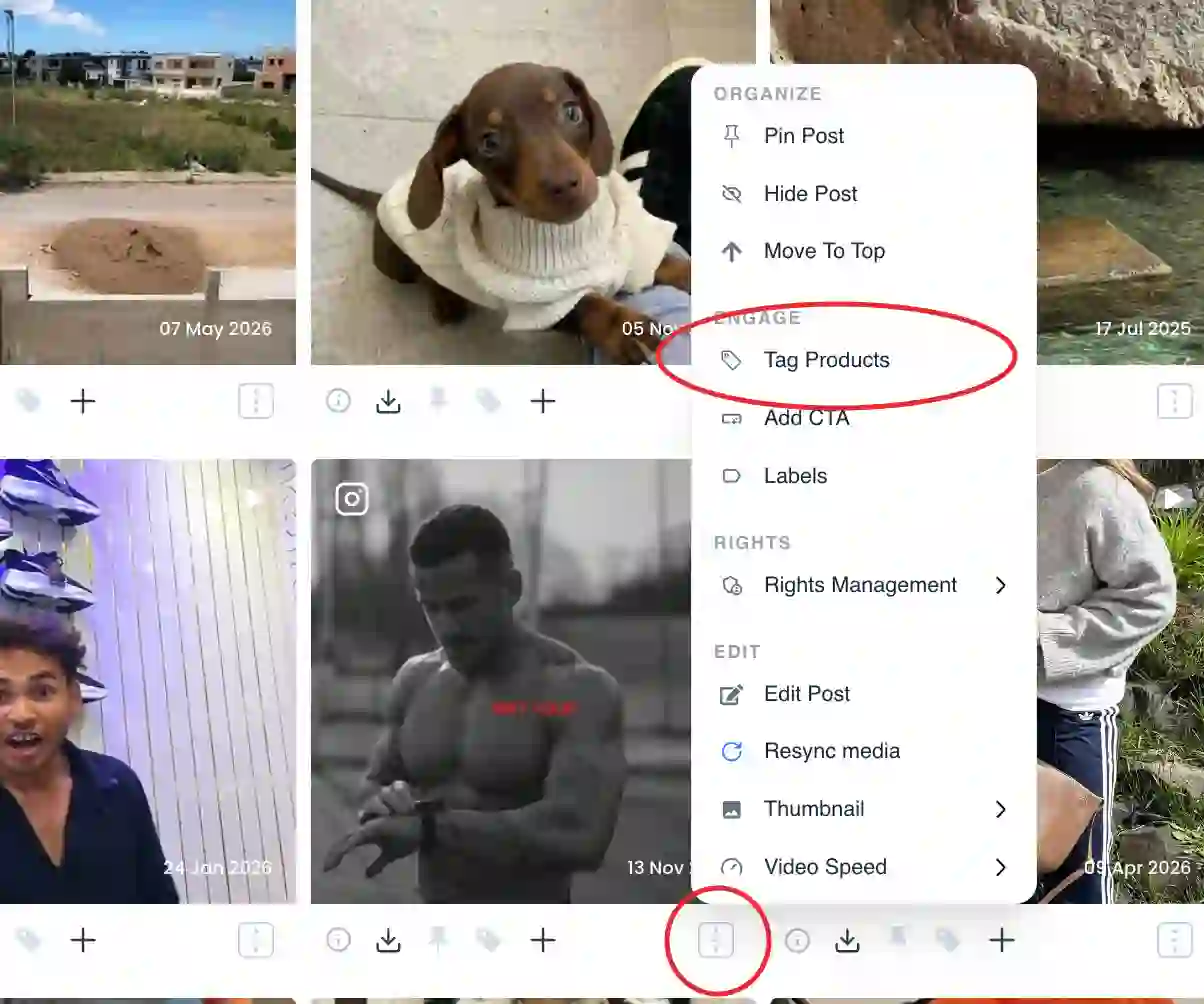
Tag Products option under the Engage section of the post menu - Choose Manual Tagging. Kies in het venster Tag a product de optie Manual Tagging. (Je ziet daar ook Smart Assist voor AI-matching en Hotspot Tagging voor klikbare pins.)
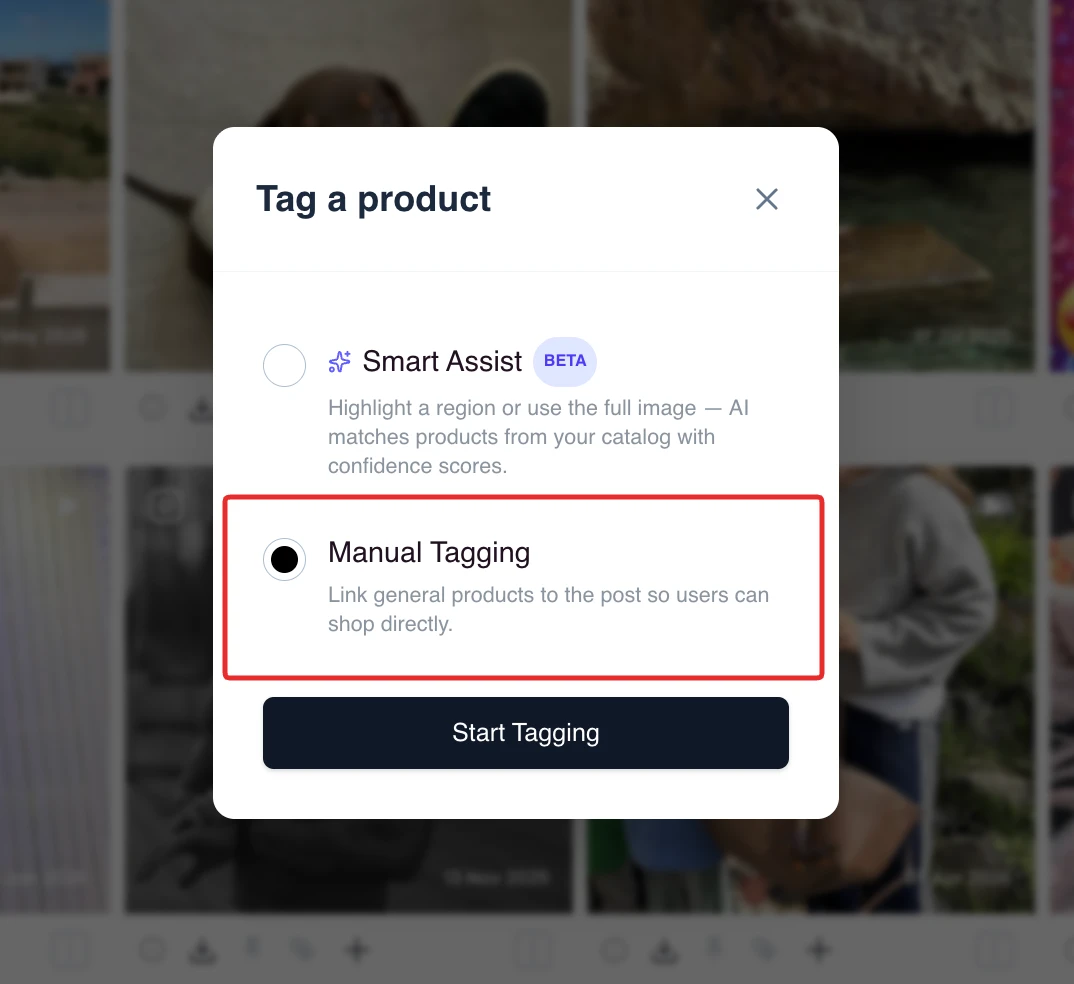
The Tag a product dialog showing Smart Assist, Hotspot Tagging and Manual Tagging - Search and select products. Zoek in je gesynchroniseerde catalogus en selecteer het product dat in de post te zien is. Voeg er meer dan één toe als er meerdere producten in beeld zijn.
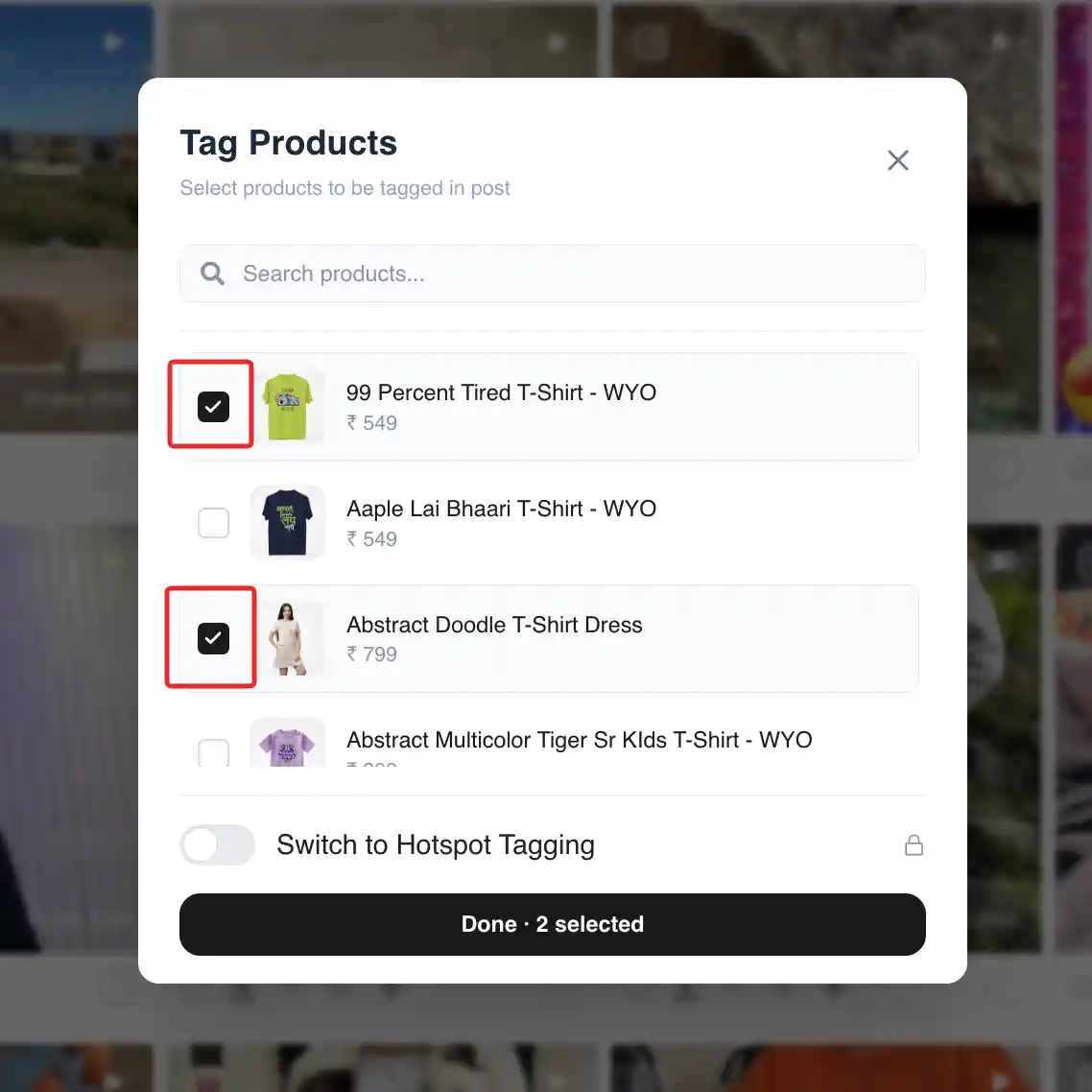
Product search and select list in the manual tagging dialog - Save. Sla de post op. De producten zijn nu gekoppeld en de tegel toont een shop- of in-winkelwagen-actie, zodat shoppers direct kunnen kopen.
Veelvoorkomende problemen
Staat een product niet in de zoekresultaten, voer dan je catalogussynchronisatie opnieuw uit en controleer of het product in je winkel is ingeschakeld. Is Tag Products grijs, dan is producttagging niet beschikbaar op je huidige abonnement. Wil je posts vinden die nog getagd moeten worden, filter de collectie dan op posts zonder tags.
Gerelateerde handleidingen
- AI-producttagging, hoe het werkt: /help/product-tagging-ai
- Productlinks en hotspots toevoegen: /help/add-product-links-and-hotspots
- Laat shoppers vanuit UGC aan de winkelwagen toevoegen: /help/add-to-cart-from-ugc


