
Labels zijn je eigen tags om posts te ordenen ("Organize with custom tags"). Ze zijn intern: je team gebruikt ze om content te groeperen, terug te vinden en te filteren. Het zijn niet de producttags waarop een shopper klikt, en ook niet de rechtenstatus. Heeft een post labels, dan zie je een klein getal naast het item Labels in het menu van de post.
Labels toevoegen
- Open the post’s menu. Klik op het actiemenu met de drie puntjes bij de post.
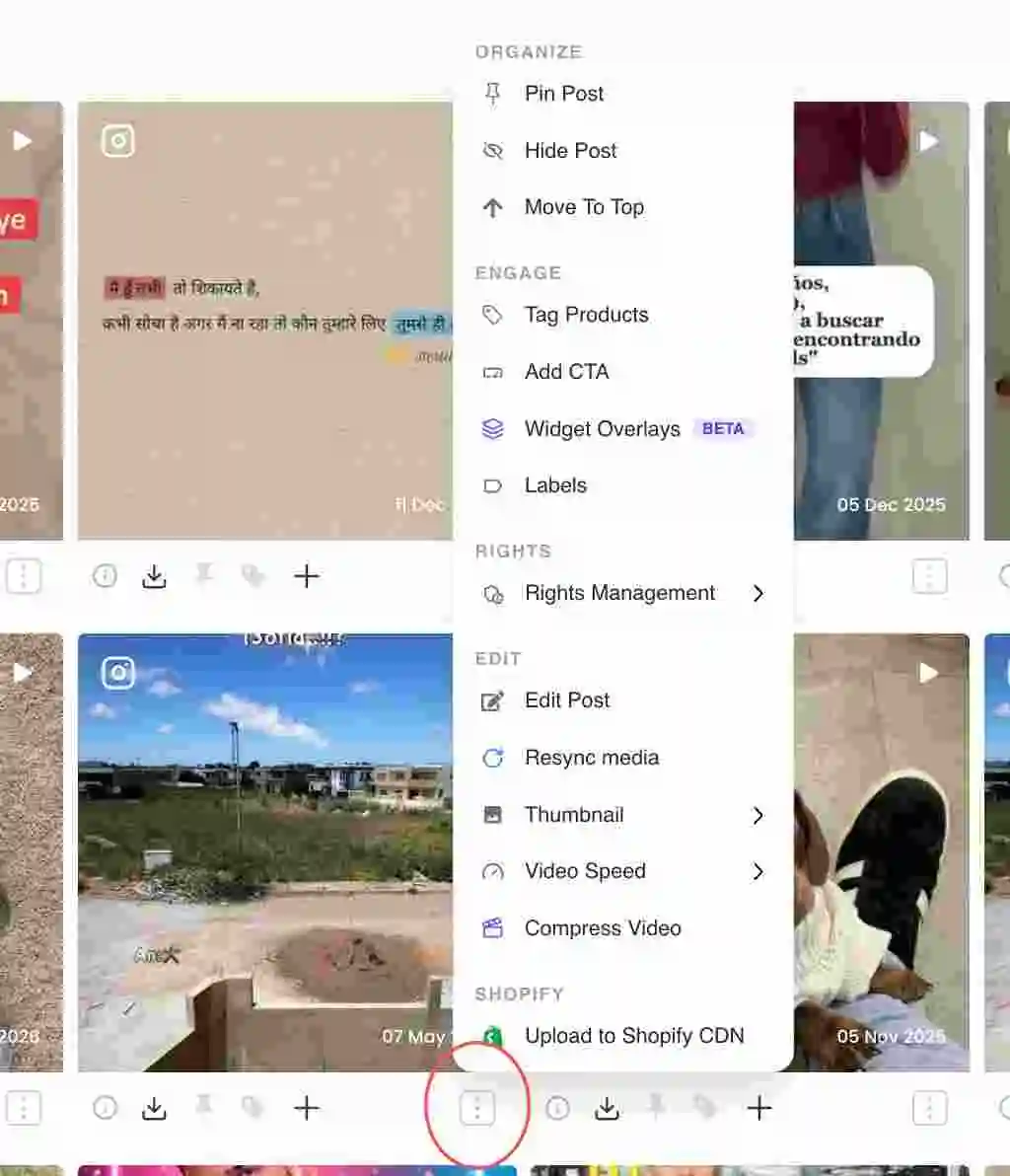
Three-dot actions menu on a post card - Choose Labels. Klik onder het onderdeel Engage op Labels ("Organize with custom tags").In the dashboard: Labels option under the Engage section of the post menu
- Add or pick labels. Maak een nieuw label aan of kies uit labels die je al gebruikt, en pas ze toe op de post.In the dashboard: Label picker with existing labels and an add-new option
- Filter by label. Gebruik de labelfilters van de collectie om alleen posts met een bepaald label te tonen.
Labels, producttags en rechten
- Labels: je interne organisatie. Alleen je team ziet ze.
- Producttags: de SKU's waarop een shopper klikt om te kopen. Toegevoegd met Tag Products.
- Rechtenstatus: of een post is goedgekeurd voor publicatie. Instellen in Rights Management.
Gerelateerde handleidingen
- Een CTA toevoegen aan een post: /help/add-a-cta-to-a-post
- Posts in een collectie herschikken: /help/reorder-posts
- Producten handmatig taggen: /help/manual-product-tagging


