
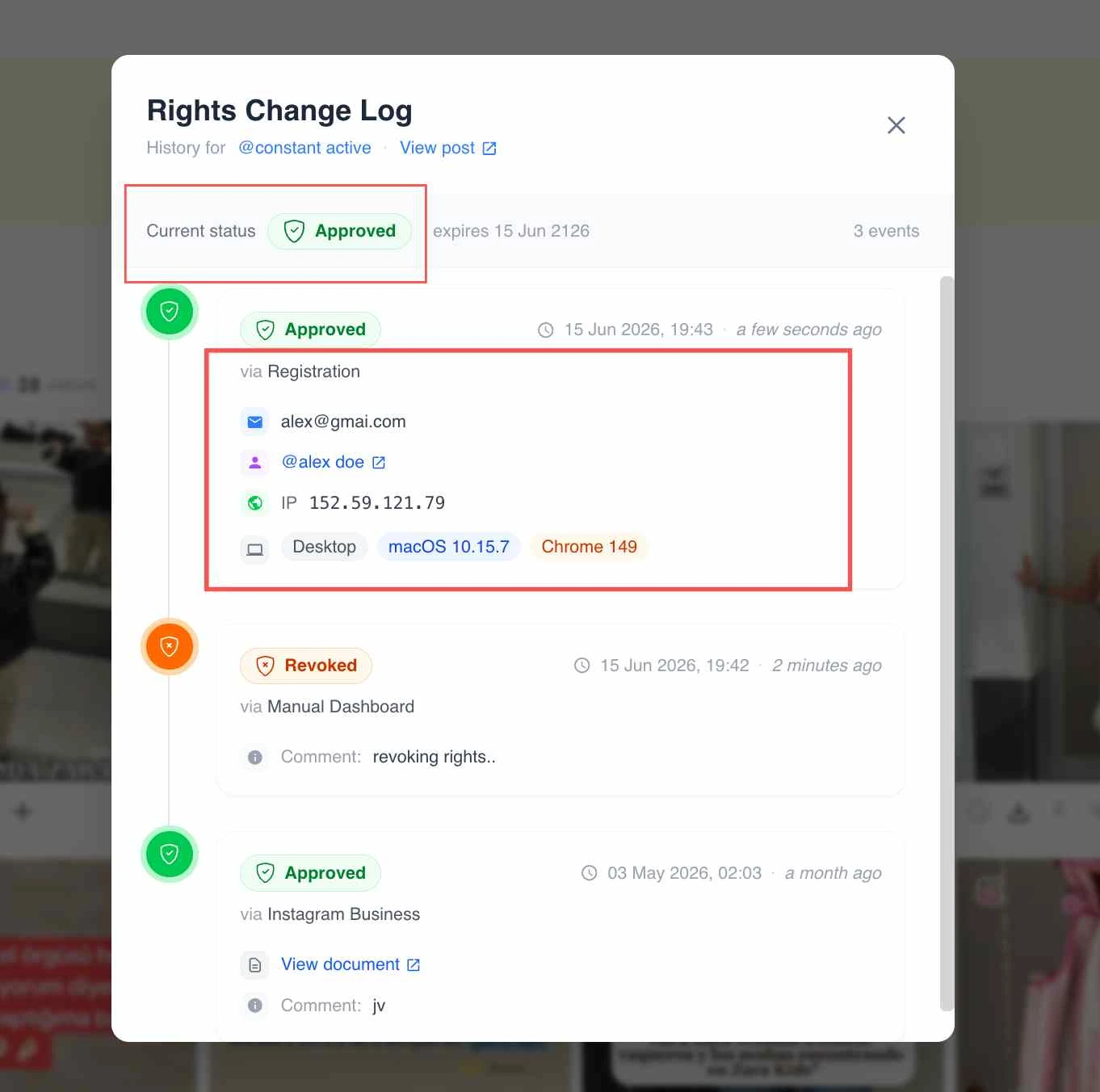
게시물 사용 권한이 있었는지 누군가 문의할 때, 변경 로그가 이를 확인해 주는 기록이 됩니다. 변경 로그는 게시물의 권리 관리 하위 메뉴 맨 아래에 있으며, 해당 게시물에 이루어진 모든 권리 관련 작업의 전체 이력을 시간 정보와 함께 보여 줍니다.
변경 로그 열기
- Open the post’s menu. 게시물의 점 세 개 작업 메뉴를 클릭합니다.
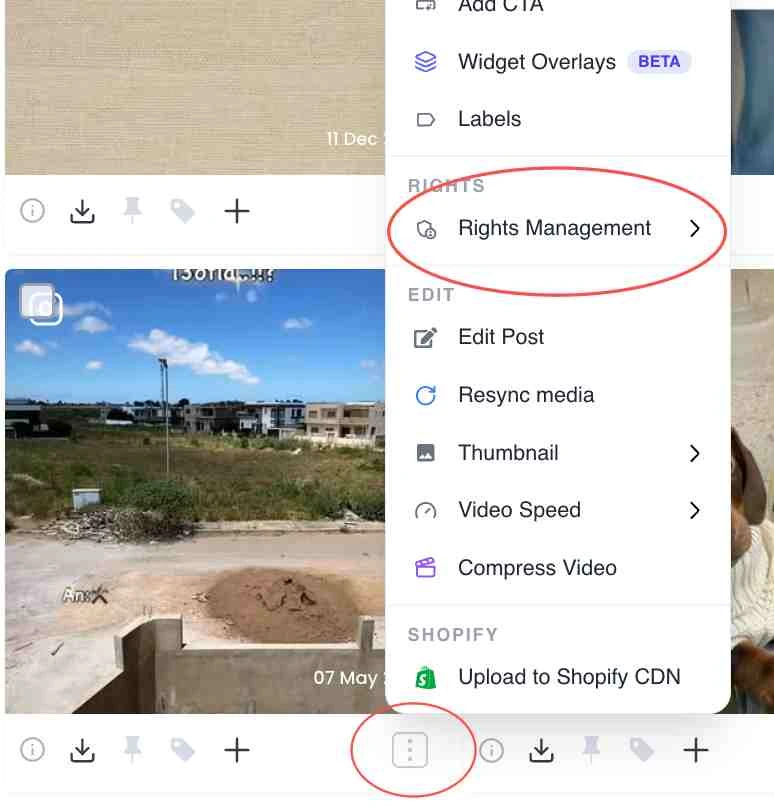
Three-dot actions menu on a post card - Expand Rights Management. 권리 섹션에서 권리 관리에 마우스를 올려 하위 메뉴를 엽니다.
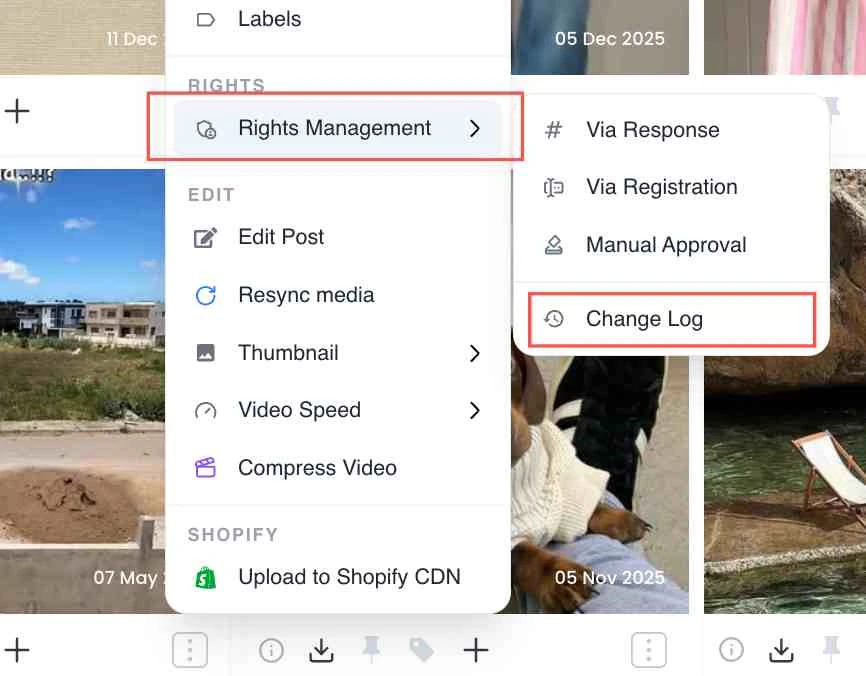
Rights Management submenu expanded under the Rights section - Click Change Log. 하위 메뉴 맨 아래에서 변경 로그를 클릭하면 게시물의 권리 이력 타임라인이 열립니다.
Change Log option at the bottom of the Rights Management submenu - Read the timeline. 로그에는 현재 상태와 이벤트별 날짜 기록이 표시됩니다. 권리를 언제, 어떻게 요청하고 승인하거나 철회했는지 정확히 확인할 수 있어요.
The rights Change Log timeline for a post
로그에 기록되는 내용
- 게시물의 현재 권리 상태입니다(예: 승인됨, 대기 중, 철회됨).
- 작업별 날짜 기록입니다: 요청 발송, 승인, 철회, 거절.
- 해당하는 경우 사용된 방식입니다(Via Response, Via Registration 또는 Manual Approval).
관련 가이드
- 게시물의 권리 관리: 네 가지 방식: /help/rights-management-on-a-post
- 동의 로그와 감사 추적: /help/consent-log-and-audit-trail
- 콘텐츠 승인 및 권리 관리: /help/approve-content-rights


