
Edit Post("Modify caption and details")로 게시물과 함께 표시되는 텍스트와 상세 정보를 조정할 수 있어요. 원본에서 가져온 그대로가 아니라, 원하는 문구로 위젯에 보여줄 수 있습니다.
게시물 수정하기
- Open the post’s menu. 게시물의 점 세 개 작업 메뉴를 클릭합니다.
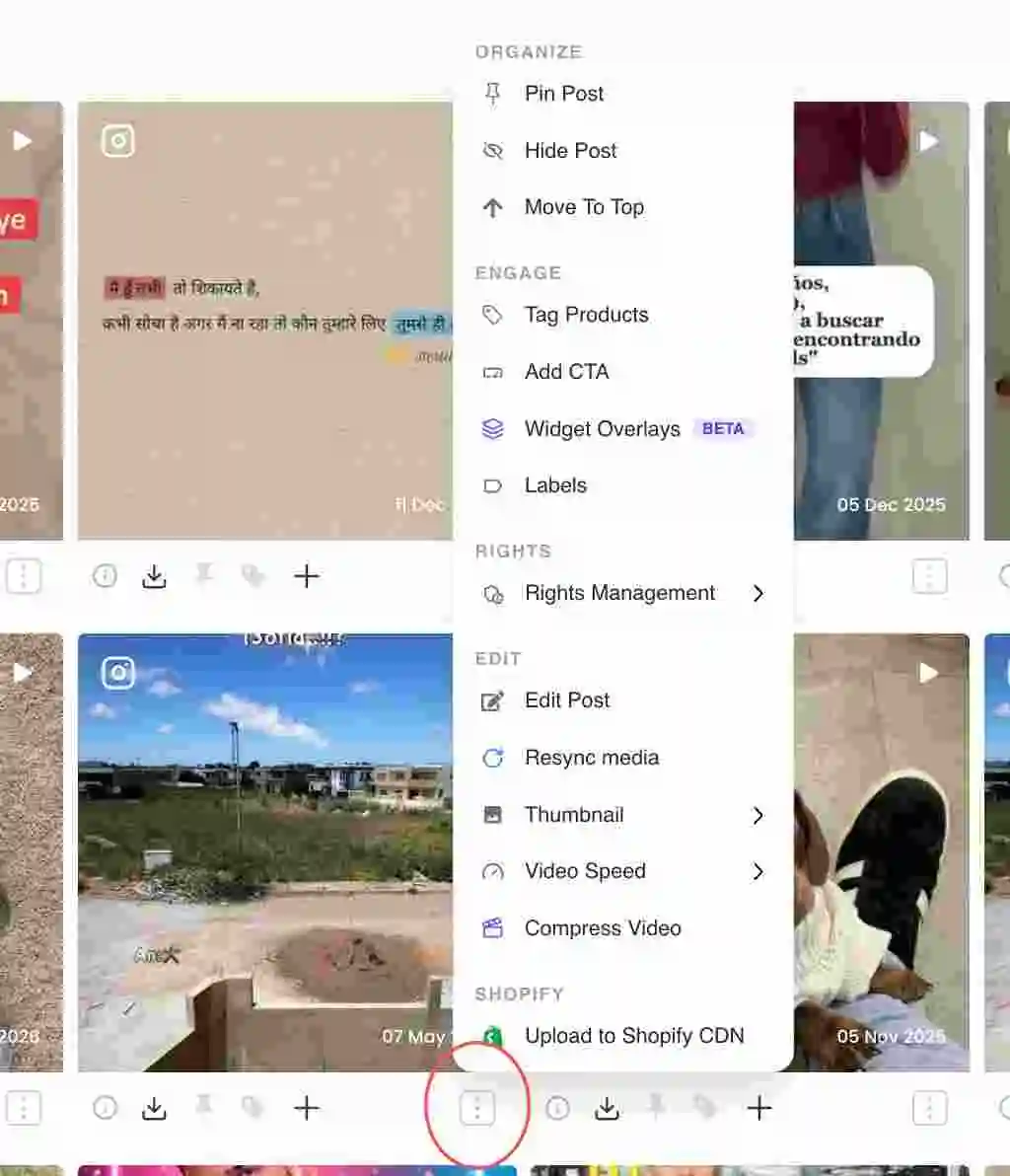
Three-dot actions menu on a post card - Choose Edit Post. Edit 섹션에서 Edit Post("Modify caption and details")를 클릭합니다.In the dashboard: Edit Post option under the Edit section of the post menu
- Make your changes and save. 캡션과 수정 가능한 상세 정보를 업데이트한 뒤 저장합니다. 변경 내용이 위젯에 반영됩니다.
관련 가이드
- 동영상 썸네일 설정 또는 생성하기: /help/set-video-thumbnail
- 게시물에 라벨 추가하기: /help/add-labels-to-a-post
- 게시물에 CTA 추가하기: /help/add-a-cta-to-a-post


