
Video Hotspot Taggingを使うと、動画の最適なタイミングで商品を購入できるようにできます。気になるフレームで一時停止し、動画上の位置をクリックして商品をタグ付けします。再生中は、その位置に商品が約3秒間ホットスポットとして表示されます。静止画の固定位置に印を付ける、画像のHotspot Taggingの動画版です。
動画ホットスポットを追加する
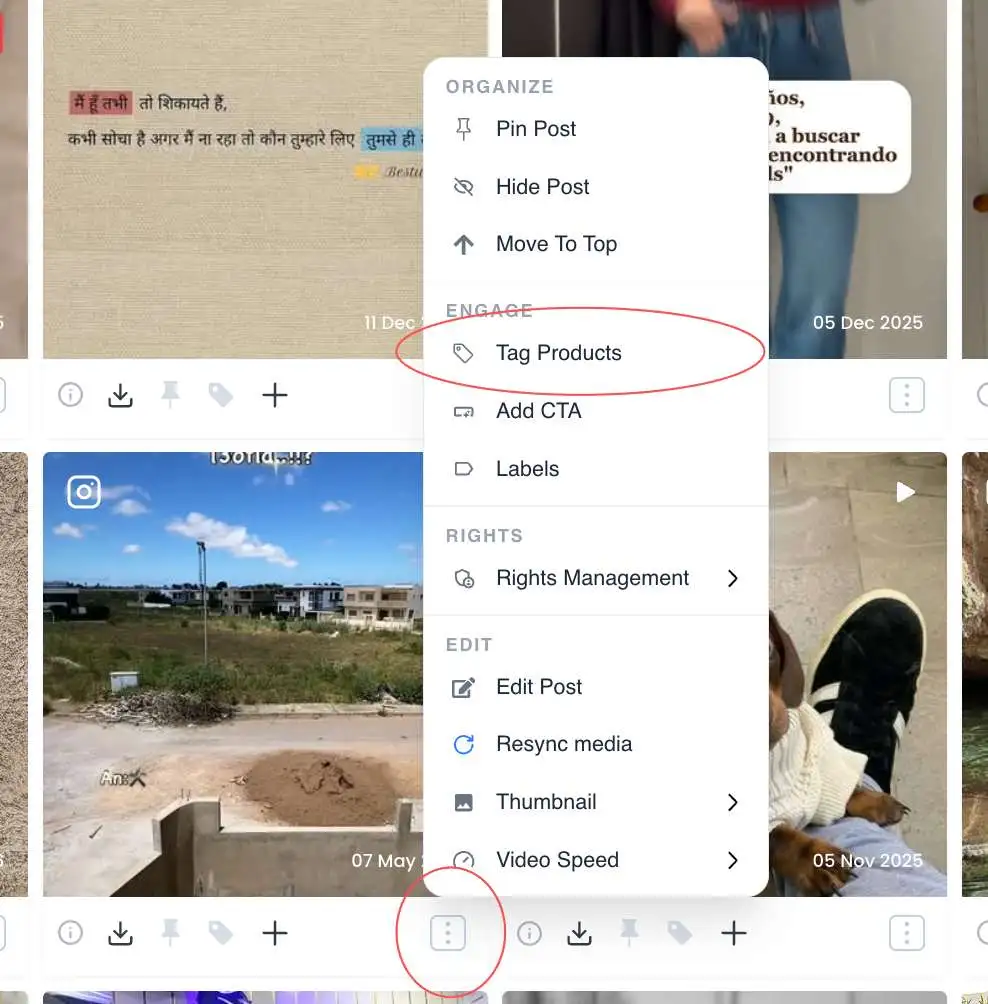
- Open Tag Products. 動画の投稿で三点メニューを開き、Engageセクションの「Tag Products」を選びます。
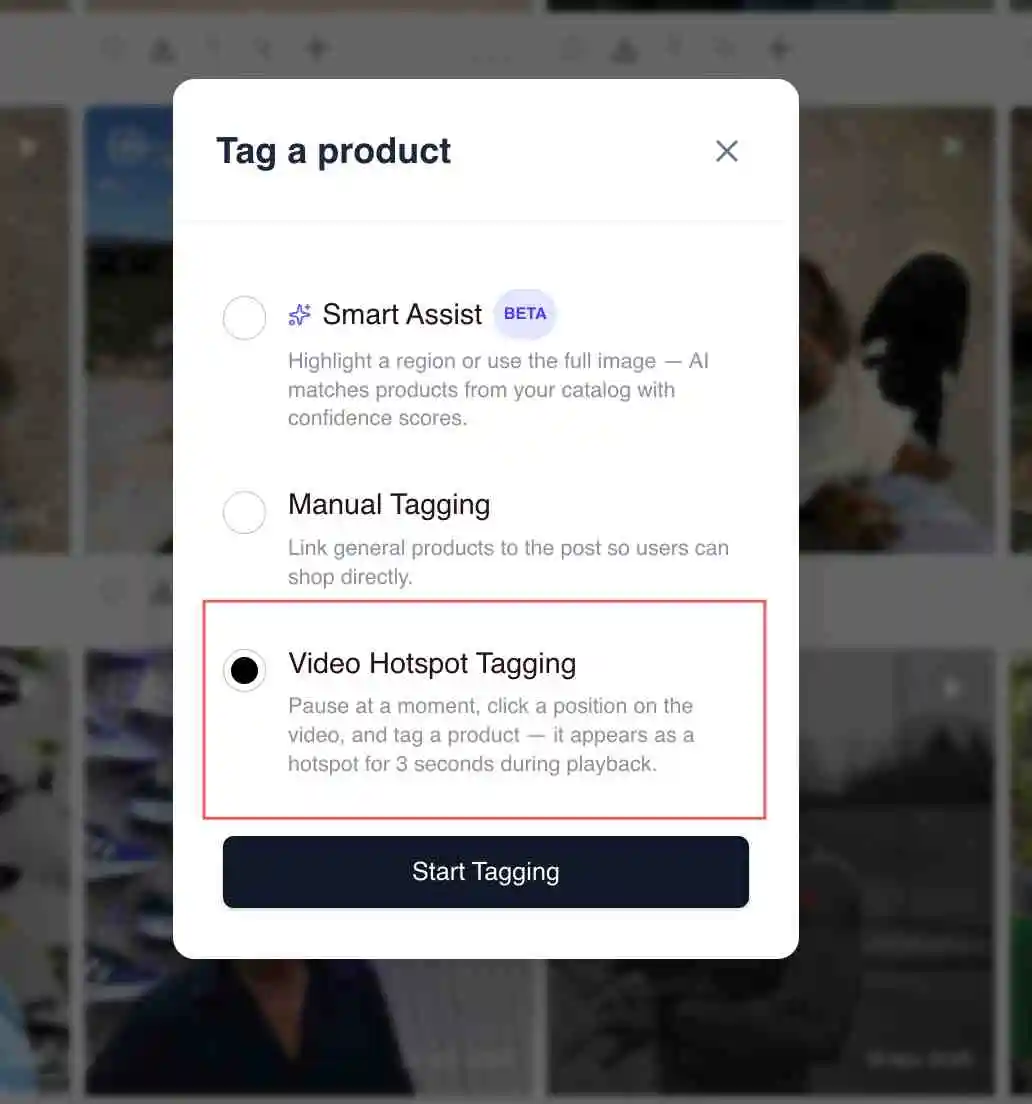
Tag Products option under the Engage section of the post menu - Choose Video Hotspot Tagging. 「Tag a product」ダイアログで、Video Hotspot Taggingを選びます。「Pause at a moment, click a position on the video, and tag a product — it appears as a hotspot for 3 seconds during playback.」(動画を一時停止し、動画上の位置をクリックして商品をタグ付けします。再生中に3秒間、ホットスポットとして表示されます。)
Video Hotspot Tagging option in the Tag a product dialog - Pause at the moment. 商品がはっきり見えるフレームまで動画を移動するか、そこで一時停止します。
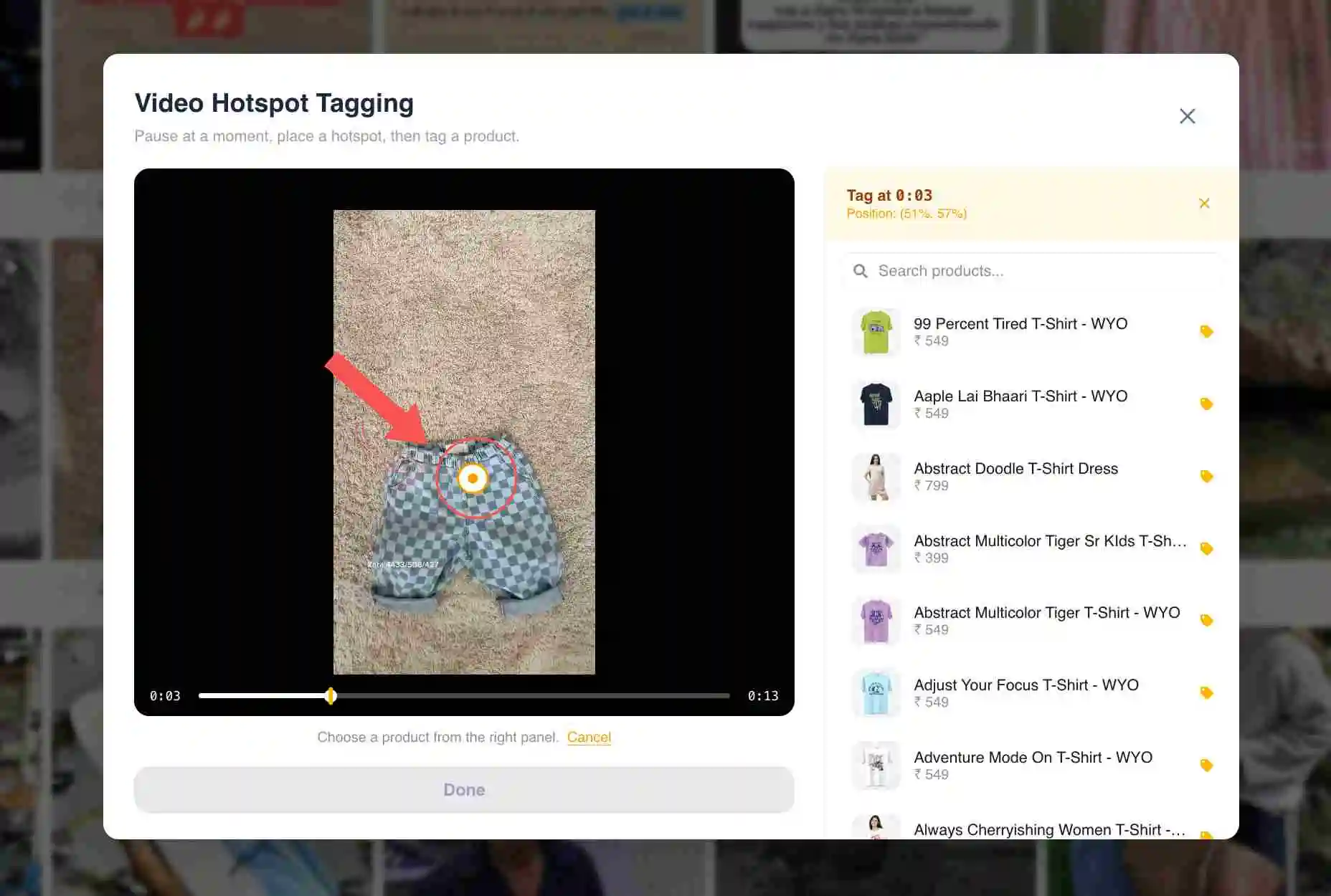
Video paused at the frame where a product appears - Click a position and tag the product. フレーム上で商品がある場所をクリックし、カタログを検索して、その時点に商品を紐付けます。
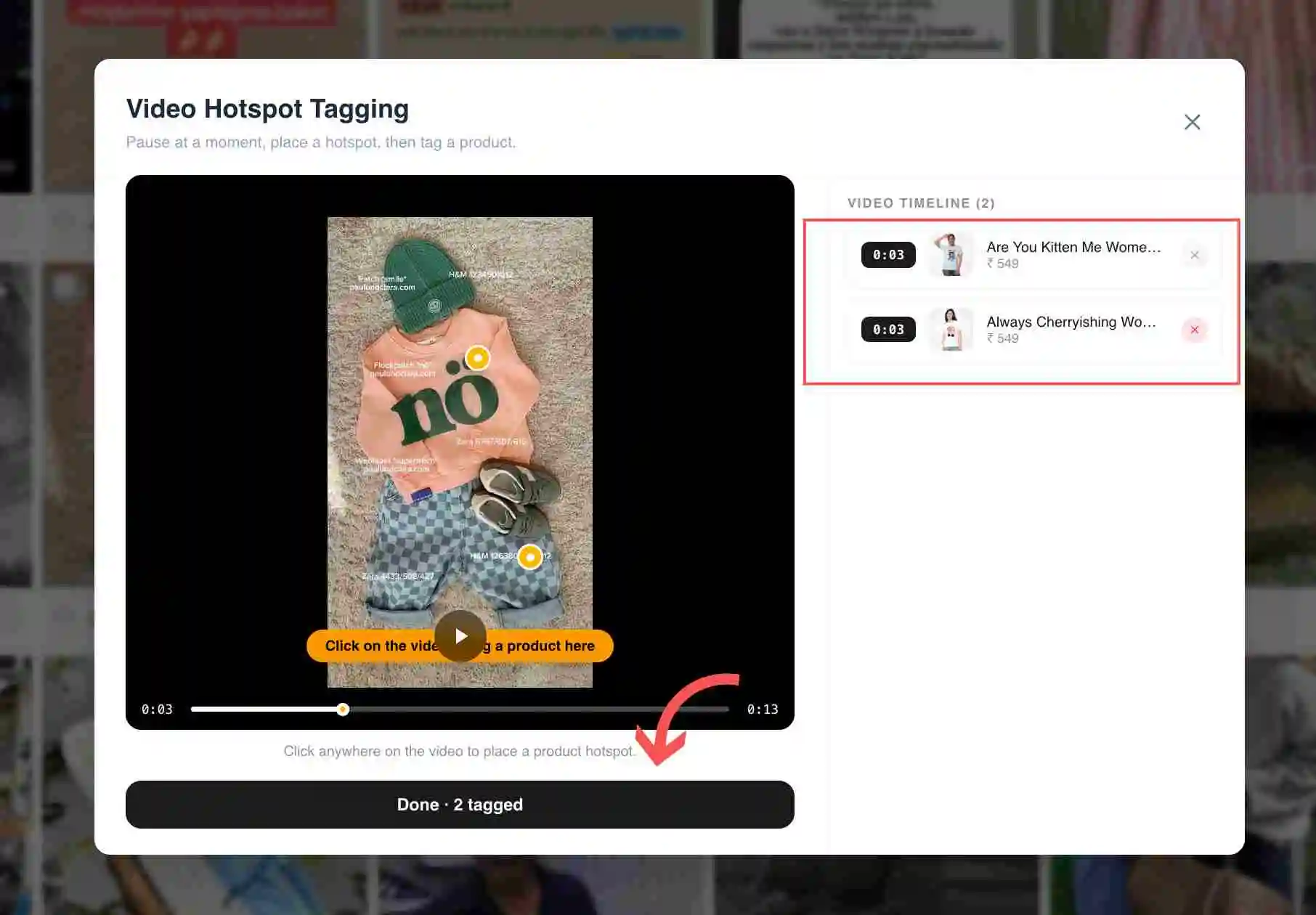
Clicking a position on the video frame to place a timed product hotspot - Repeat and save. ほかの商品やほかのタイミングにも、時間を指定したホットスポットを追加し、保存します。各タグは、設定した時点の前後の数秒間、ホットスポットとして表示されます。
動画ホットスポットと画像ホットスポットの違い
画像のHotspot Taggingでは、静止画の固定位置にピンを置きます。マーカーは常に表示されます。Video Hotspot Taggingは特定のタイミングに紐付きます。ホットスポットは設定した時点の前後にだけ表示され、その後は消えます。そのため、再生に合わせて別の商品をタグ付けできます。点ではなく投稿全体に付けるタグには、Manual Taggingを使います。
よくある問題
ダイアログにVideo Hotspot Taggingが表示されない場合は、投稿が動画ではないか、お使いのアカウントでこのモードが有効になっていない可能性があります。その場合は、Manual Taggingで動画全体に商品を紐付けてください。ホットスポットが違うタイミングに表示される場合は、タグ付けを開き直し、正しいフレームで一時停止して、置き直してください。
関連ガイド
- 商品リンクとホットスポットを追加する(画像): /help/add-product-links-and-hotspots
- 商品を手動でタグ付けする: /help/manual-product-tagging
- ショッパブル動画を設定する: /help/shoppable-video-setup


