
投稿を使用する許可があったのかと問われたとき、その答えになる記録が変更ログです。投稿の「権利管理」サブメニューの一番下にあり、その投稿に対して行われたすべての権利操作が日時付きの履歴で表示されます。
変更ログを開く
- Open the post’s menu. 投稿の三点アクションメニューをクリックします。
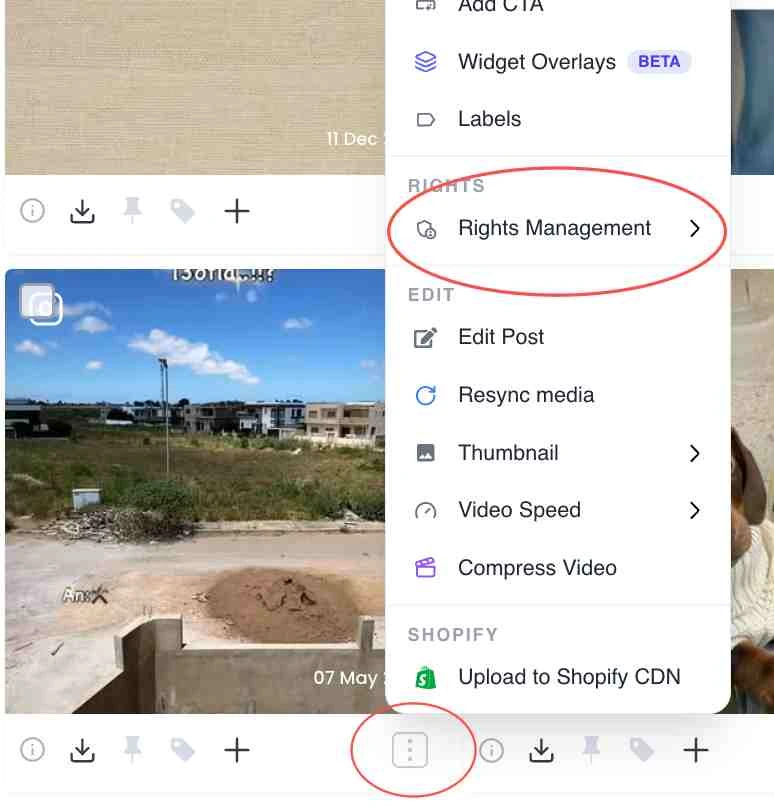
Three-dot actions menu on a post card - Expand Rights Management. 「権利」セクションで「権利管理」にカーソルを合わせ、サブメニューを開きます。
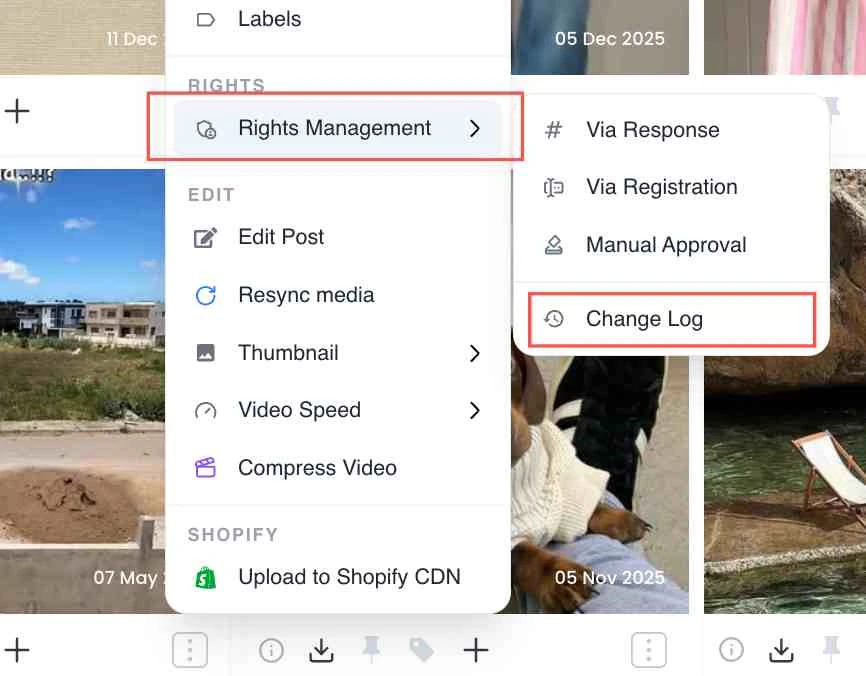
Rights Management submenu expanded under the Rights section - Click Change Log. サブメニューの一番下にある「変更ログ」をクリックすると、投稿の権利履歴のタイムラインが開きます。
Change Log option at the bottom of the Rights Management submenu - Read the timeline. ログには現在のステータスと、イベントごとの日付付きの記録が表示されます。権利をいつ、どのようにリクエスト、許可、取り消ししたかを正確に確認できます。
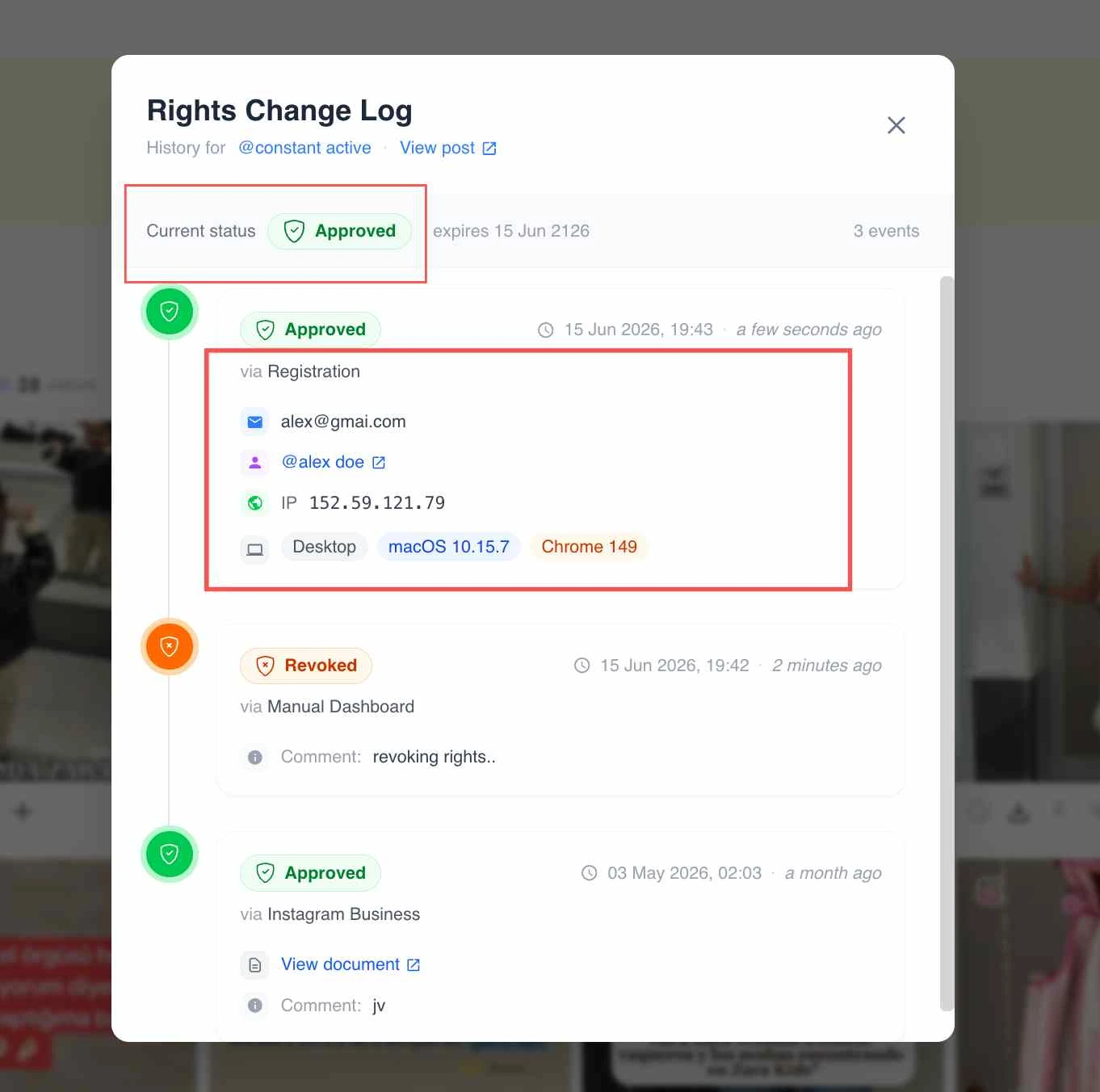
The rights Change Log timeline for a post
ログに記録される内容
- 投稿の現在の権利ステータス(例:承認済み、保留中、取り消し済み)。
- 操作ごとの日付付きイベント:リクエストの送信、承認、取り消し、却下。
- 該当する場合は、使用された方法(Via Response、Via Registration、Manual Approval)。
関連ガイド
- 投稿の権利管理:4つのモード:/help/rights-management-on-a-post
- 同意ログと監査証跡:/help/consent-log-and-audit-trail
- コンテンツを承認して権利を管理する:/help/approve-content-rights


