
タグ付けは、投稿と、そこに写っている商品を結びつける作業です。これにより、購入者は見た商品をそのまま購入できます。件数が多い場合はAIタグ付けが役立ちますが、目玉の投稿、商品が判別しにくい写真、確実に紐づけたい投稿には、手動でのタグ付けが向いています。
投稿を手動でタグ付けする
- Open Tag Products. コレクションで投稿の三点メニューを開き、Engageセクションの「Tag Products」を選びます。
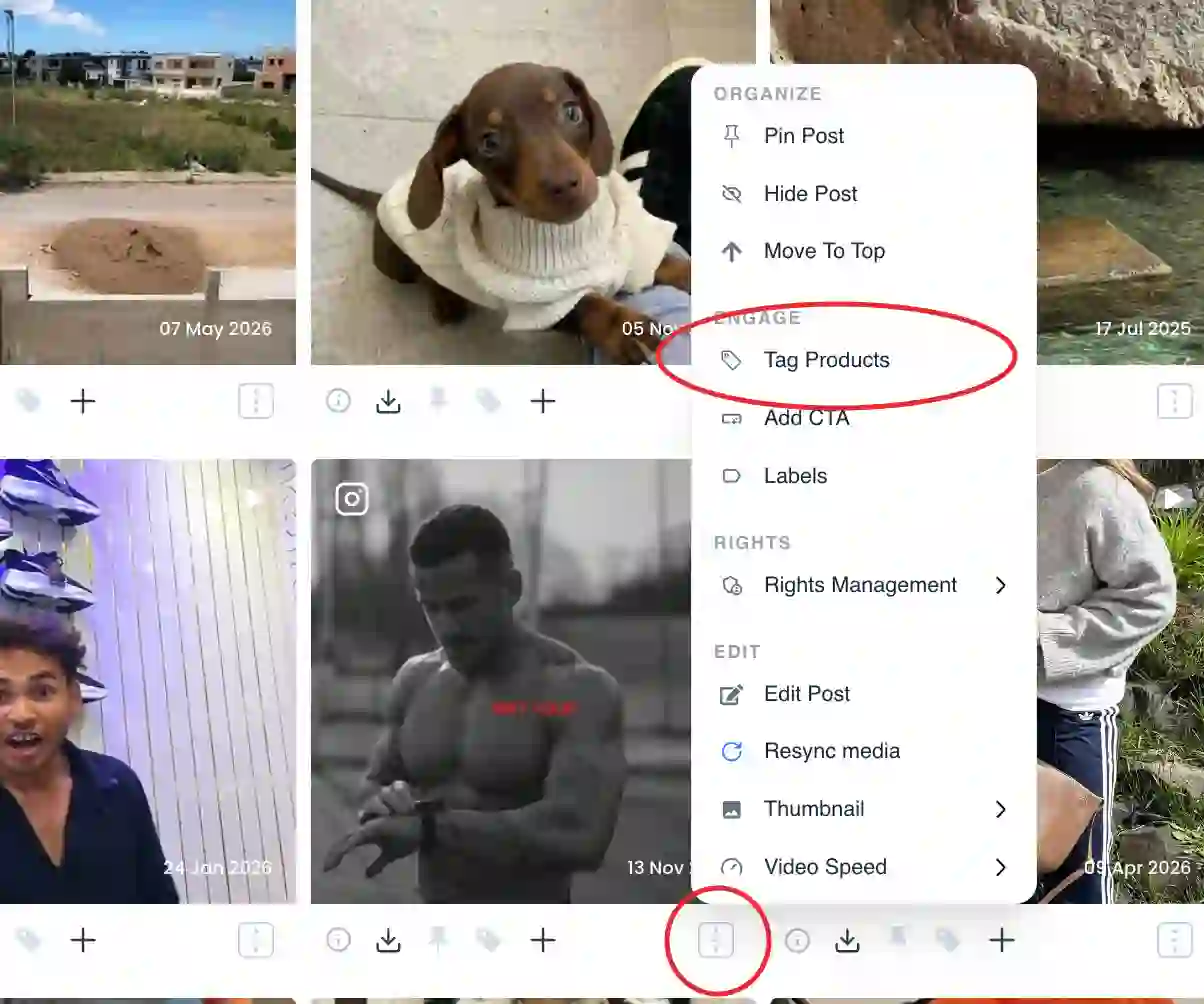
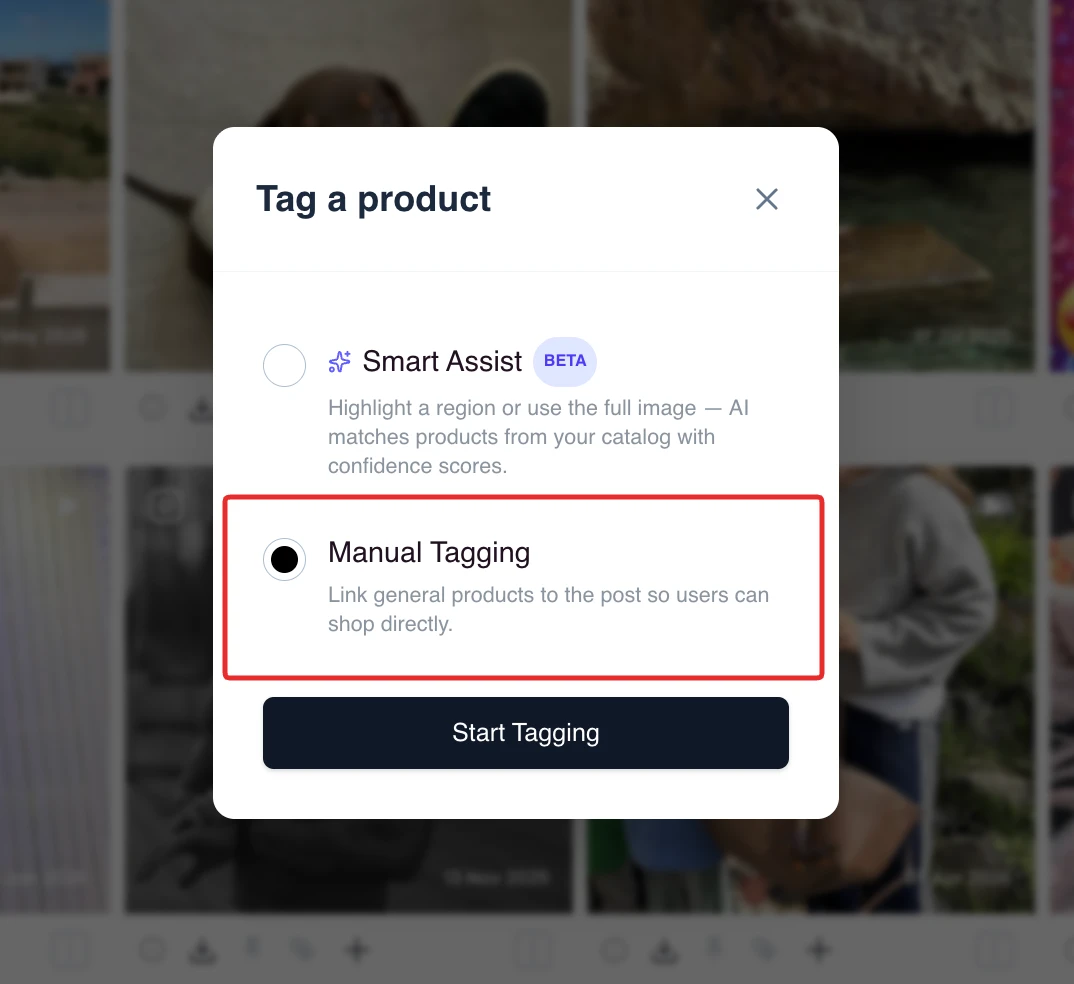
Tag Products option under the Engage section of the post menu - Choose Manual Tagging. 「Tag a product」ダイアログで「Manual Tagging」を選びます。(AIで商品を照合する「Smart Assist」と、クリックできるピンを置く「Hotspot Tagging」も表示されます。)
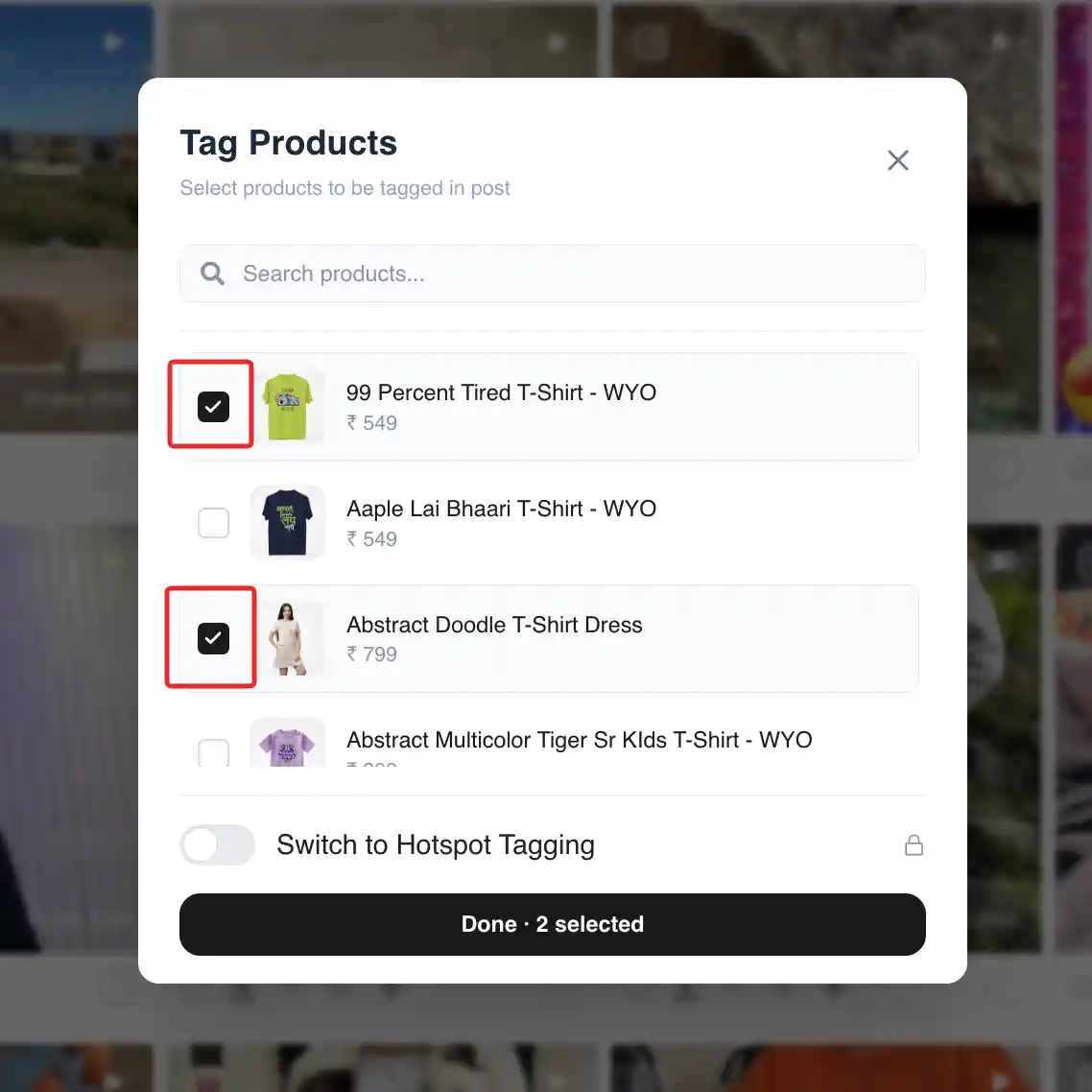
The Tag a product dialog showing Smart Assist, Hotspot Tagging and Manual Tagging - Search and select products. 同期済みのカタログを検索し、投稿に写っている商品を選びます。複数の商品が写っている場合は、続けて追加できます。
Product search and select list in the manual tagging dialog - Save. 投稿を保存します。商品が紐づけられ、タイルに購入ボタンまたはカートに追加ボタンが表示されます。購入者はそのまま購入できます。
よくある問題
検索で商品が見つからない場合は、カタログの同期をもう一度実行し、ストア側で商品が有効になっているか確認してください。「Tag Products」がグレーアウトしている場合、現在のプランでは商品のタグ付けを利用できません。まだタグ付けが必要な投稿を探すには、コレクションを未タグの投稿で絞り込みます。
関連ガイド
- AI商品タグ付けの仕組み: /help/product-tagging-ai
- 商品リンクとホットスポットを追加する: /help/add-product-links-and-hotspots
- UGCからカートに追加できるようにする: /help/add-to-cart-from-ugc


