
本文へスキップ
新機能商品Q&A: お客様が商品ページで質問し、あなたの回答を受け取れます。仕組みを見る
IdukkiIdukki
Widgets + layouts

投稿のキャプションと詳細を編集する

メニューの「編集」セクションにある「投稿を編集」で、投稿のキャプションと詳細を変更できます。投稿ごとの編集操作を簡単にご案内します。

2 min read · last updated 2026-06

「投稿を編集」(「キャプションと詳細を変更」)では、投稿と一緒に表示されるテキストや詳細を調整できます。取得元から届いた状態のままではなく、ウィジェット上で意図したとおりの文章で表示できます。

投稿を編集する

  1. Open the post’s menu. 投稿の3点アクションメニューをクリックします。
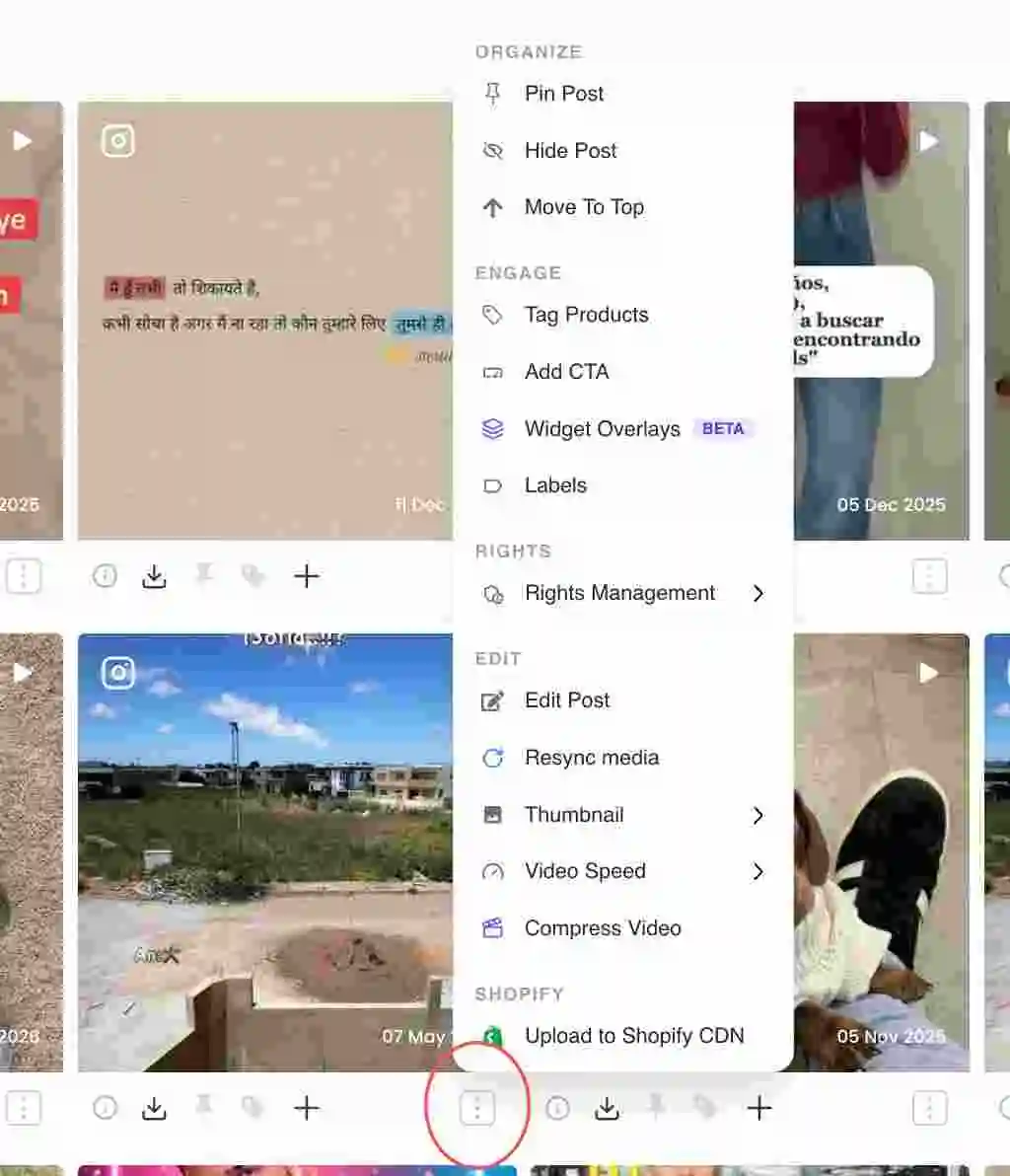
    Three-dot actions menu on a post card
    Three-dot actions menu on a post card
  2. Choose Edit Post. 「編集」セクションの「投稿を編集」(「キャプションと詳細を変更」)をクリックします。
    In the dashboard: Edit Post option under the Edit section of the post menu
  3. Make your changes and save. キャプションと、編集できる詳細を更新して保存します。変更はウィジェットに反映されます。

関連ガイド

Was this page helpful?

Still stuck?

Email us at support@idukki.io or open the in-app chat. We answer within one working day.

Talk to a human

Related guides

Live in minutesDTC + B2B brands79 KB runtimeReal G2 reviews

Stuck?

A real human is faster than a search box.

In-app chat is staffed during EU + US business hours. Status of a ticket? Email support@idukki.io and we’ll surface it.

  • No credit card
  • Cancel anytime
  • GDPR self-certified · SOC 2 (in audit)