
ブロックは、アカウント単位で行う非表示です。「投稿を非表示」は1件の投稿だけを下げますが、ブロックはそのクリエイターの投稿をすべてのコレクションでまとめて非表示にします。スパム投稿者や競合他社など、コンテンツを表示したくない相手に使います。
クリエイターをブロックする
- Open the post’s menu. ブロックしたいクリエイターの投稿で、3点のアクションメニューをクリックします。
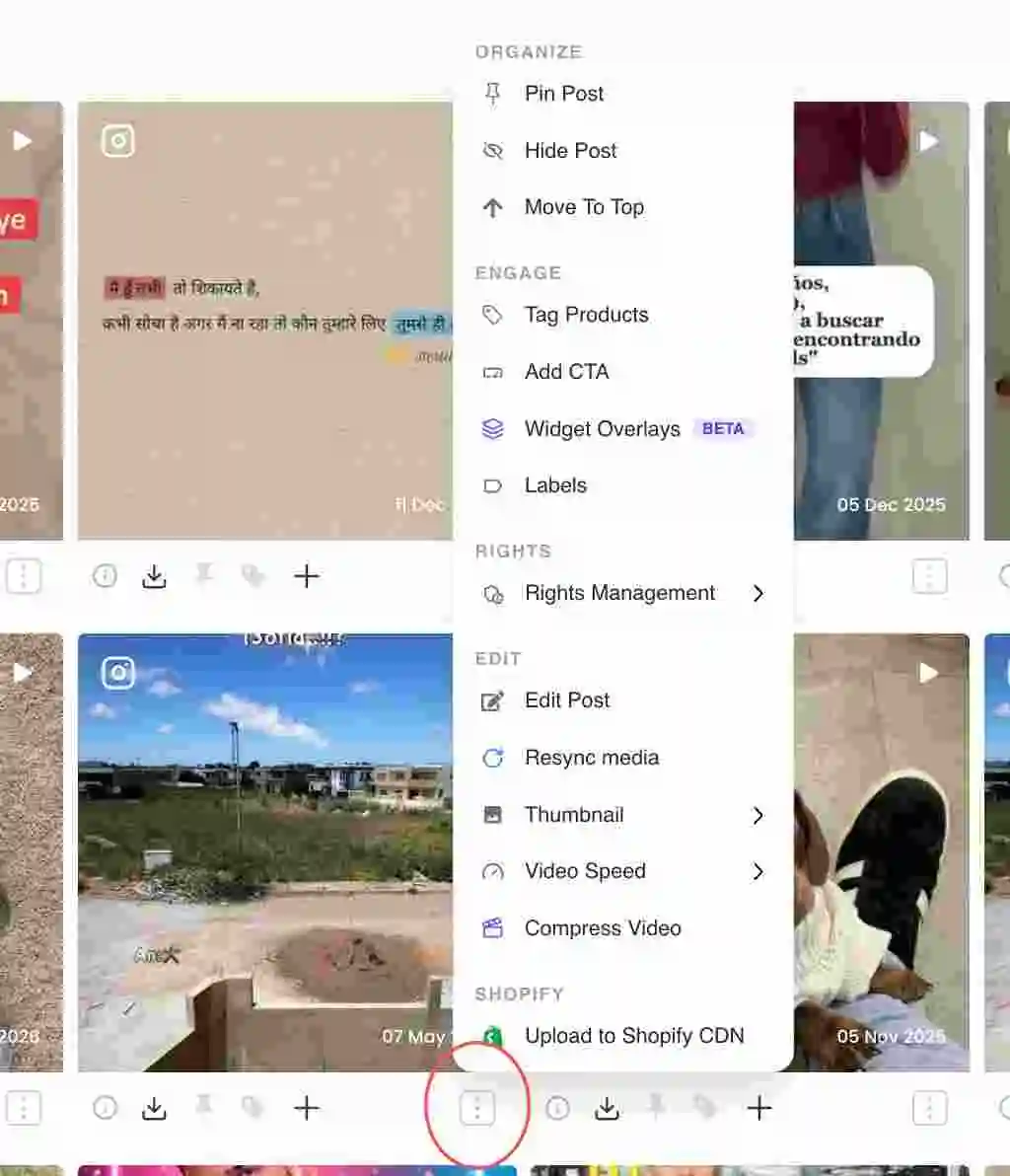
Three-dot actions menu on a post card - Choose Block @handle. メニューの一番下にある、赤色の「Block @handle」(「Hide all posts from this user」)をクリックします。In the dashboard: Block @handle option at the bottom of the post menu
- Confirm. このユーザーの投稿がすべてコレクションから非表示になることを確認するダイアログが表示されます。確認してブロックします。In the dashboard: Block user confirmation dialog
- Unblock later if needed. ブロックを解除するには、そのクリエイターの投稿のどれかで同じメニューを開き、「Unblock @handle」(「Allow posts from this user again」)をクリックします。
ブロックと非表示の違い
「投稿を非表示」は、1件の投稿をライブウィジェットから外しますが、コレクションには残します。ブロックは、そのクリエイターの投稿をすべてのコレクションでまとめて非表示にします。問題が個別の投稿ではなくアカウントにある場合は、ブロックを使ってください。
関連ガイド
- 投稿を非表示にする・削除する:/help/hide-or-remove-a-post
- 投稿を別のコレクションに移動する・追加する:/help/move-post-to-another-collection
- コンテンツを承認して権利を管理する:/help/approve-content-rights


