
ホットスポットを使うと、投稿に商品のマーカーを1つまたは複数置けます。各ホットスポットを押すと小さなパネルが開き、商品と、購入またはカートに追加するボタンが表示されます。1枚の画像の複数の場所から商品を購入できるようになります。ホットスポットのタグ付けは、グリッド形式の投稿で使います。
ホットスポットを追加する
- Open Tag Products. 投稿の3点メニューを開き、「Engage」セクションの「Tag Products」を選びます。
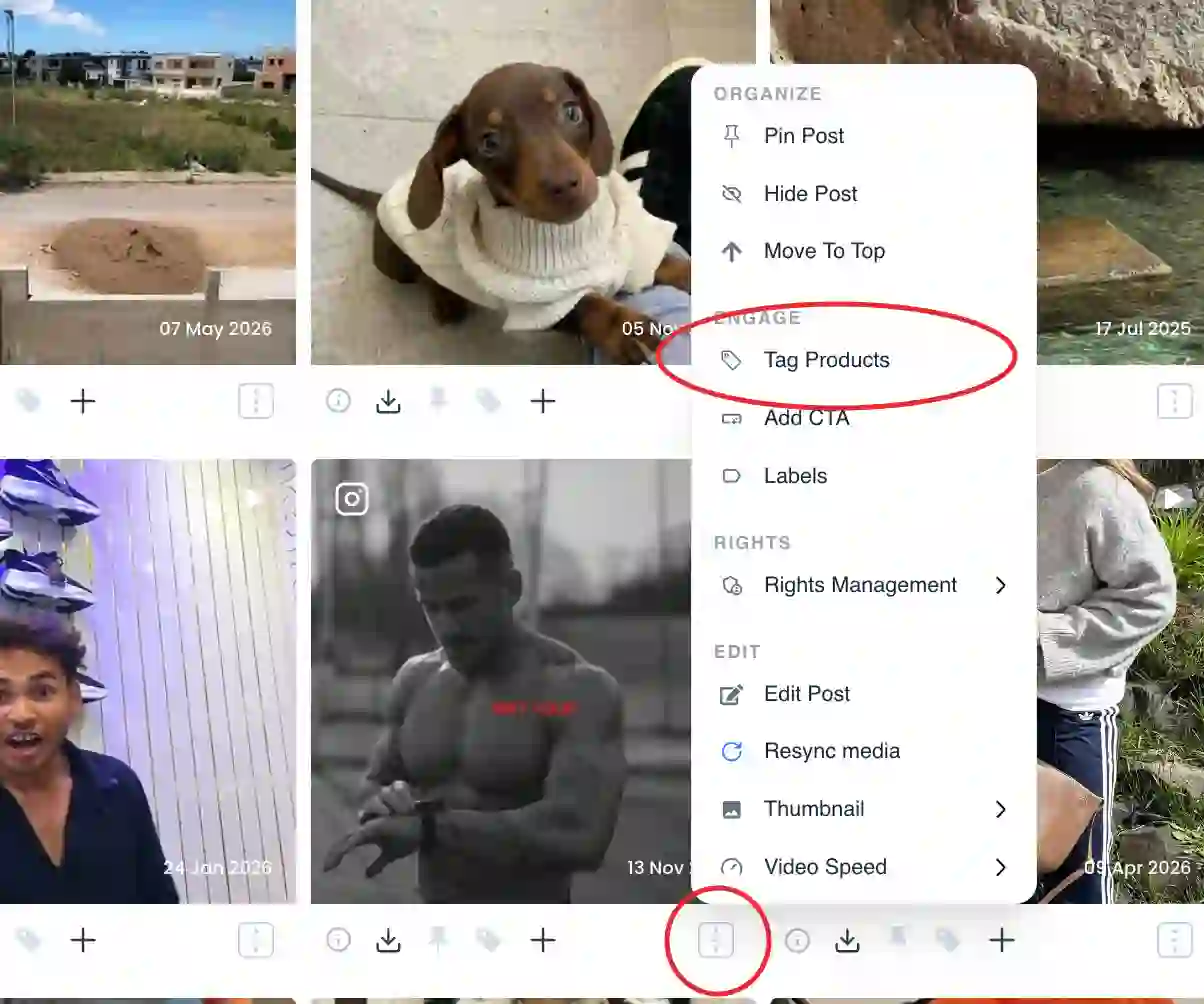
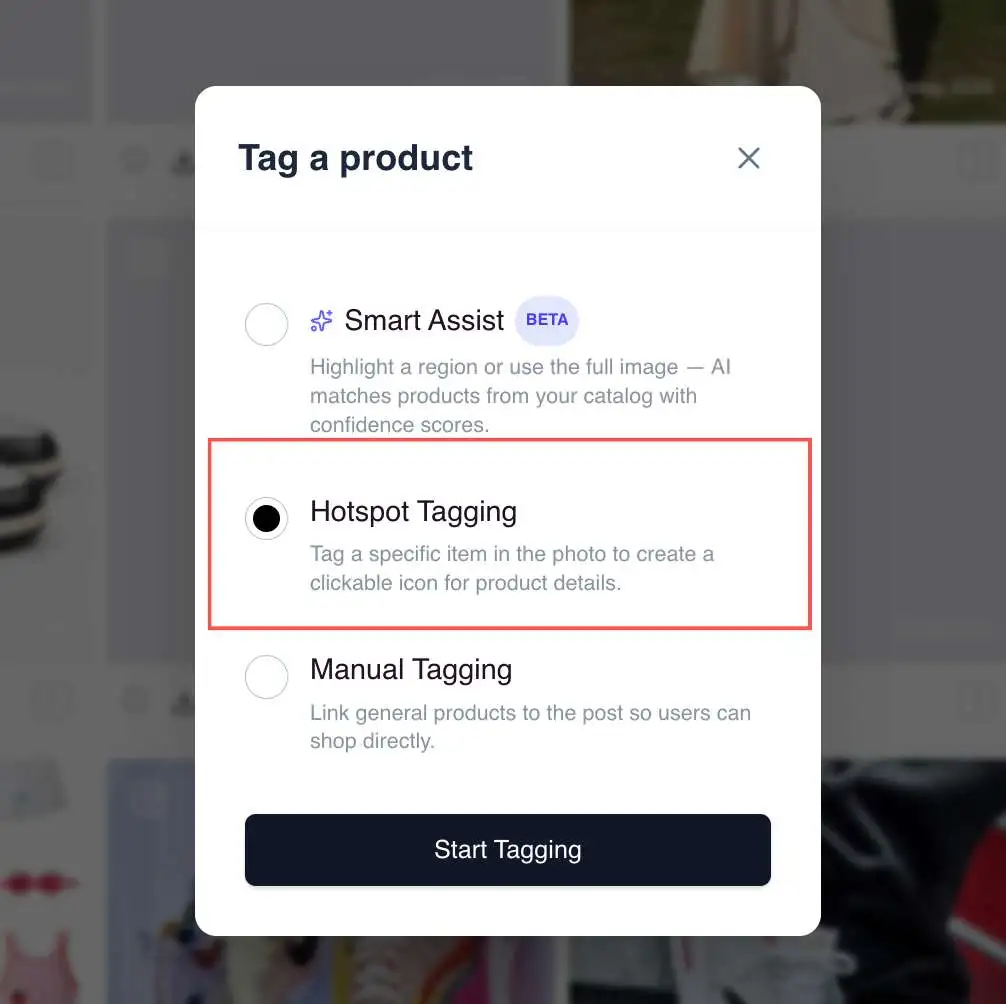
Tag Products option under the Engage section - Choose Hotspot Tagging. 「Tag a product」ダイアログで「Hotspot Tagging」を選びます。「Tag a specific item in the photo to create a clickable icon for product details.」
Hotspot Tagging option in the Tag a product dialog - Drop a pin on the item. 画像で商品が写っている位置をクリックして、ホットスポットのピンを置きます。
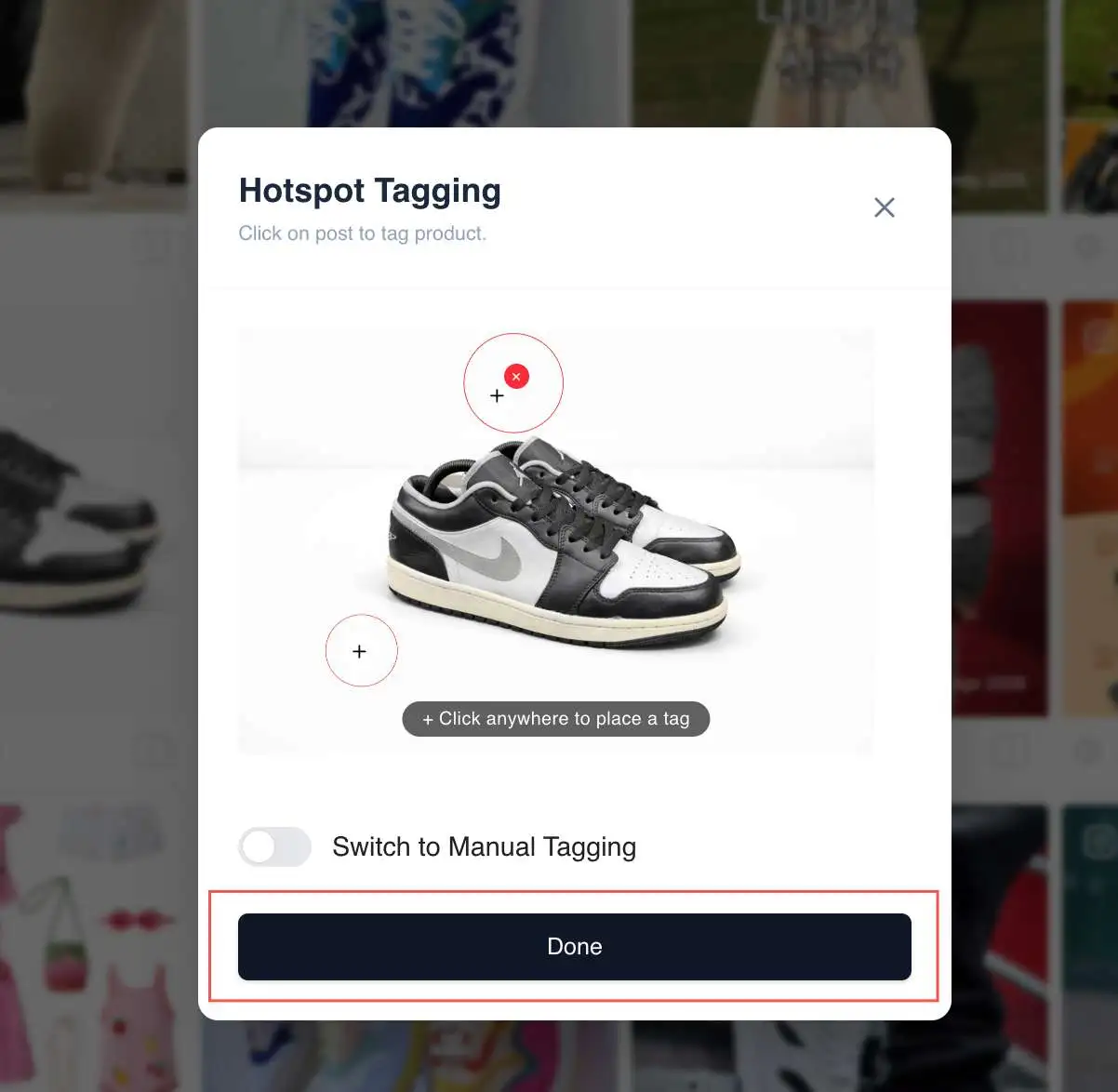
Placing a hotspot pin on a product in the photo - Attach the product. 同期済みの商品を選びます。接続したカタログにない商品は、商品リンク、商品名、価格を直接入力します。
- Position and save. ピンをドラッグして商品の上に合わせ、保存します。位置は画像を基準に保存されるため、画像のサイズが変わっても合わせて拡大・縮小されます。
ピンのスタイル設定
ホットスポットのピンの見た目は、レイアウトエディタの「Products」タブで設定します。設定はウィジェット全体に反映されます。
- Hotspot Pin Style:アイコンの形です。Bag、Plus、Dot、Number、Priceから選べます。
- Hotspot Pin Color:ピンのアイコンの塗りつぶしの色です。
- Hotspot Beacon Style:アニメーションの種類です。Pulse、Solid、Ring、Glow、Pin、Ring Pulseから選べます。
- Hotspot Open Style:ピンから商品パネルを開くときの表示方法です(例:Card、Drawer、Modal、Bottom、Inline、Fullscreen)。
よくある問題
ピンの位置がずれている場合は、ドラッグして直してください。位置は画像に合わせて拡大・縮小されます。ピンが見えにくい場合は、「Products」タブでHotspot Pin ColorまたはBeacon Styleを変更してください。商品そのものの位置にマーカーを置きたくない場合は、Manual Taggingを使って、投稿全体に商品をリンクできます。
関連ガイド
- 商品を手動でタグ付けする: /help/manual-product-tagging
- AIによる商品タグ付けの仕組み: /help/product-tagging-ai
- ウィジェットの外観をカスタマイズする: /help/customise-widget-appearance


