
ラベルは、投稿を整理するための独自のタグです(「Organize with custom tags」)。社内用で、チームがコンテンツをグループ分けしたり、探したり、絞り込んだりするために使います。購入者がクリックする商品タグではありません。権利ステータスでもありません。ラベルが付いた投稿では、メニューのラベル項目の横に小さく件数が表示されます。
ラベルを追加する
- Open the post’s menu. 投稿の三点リーダーのアクションメニューをクリックします。
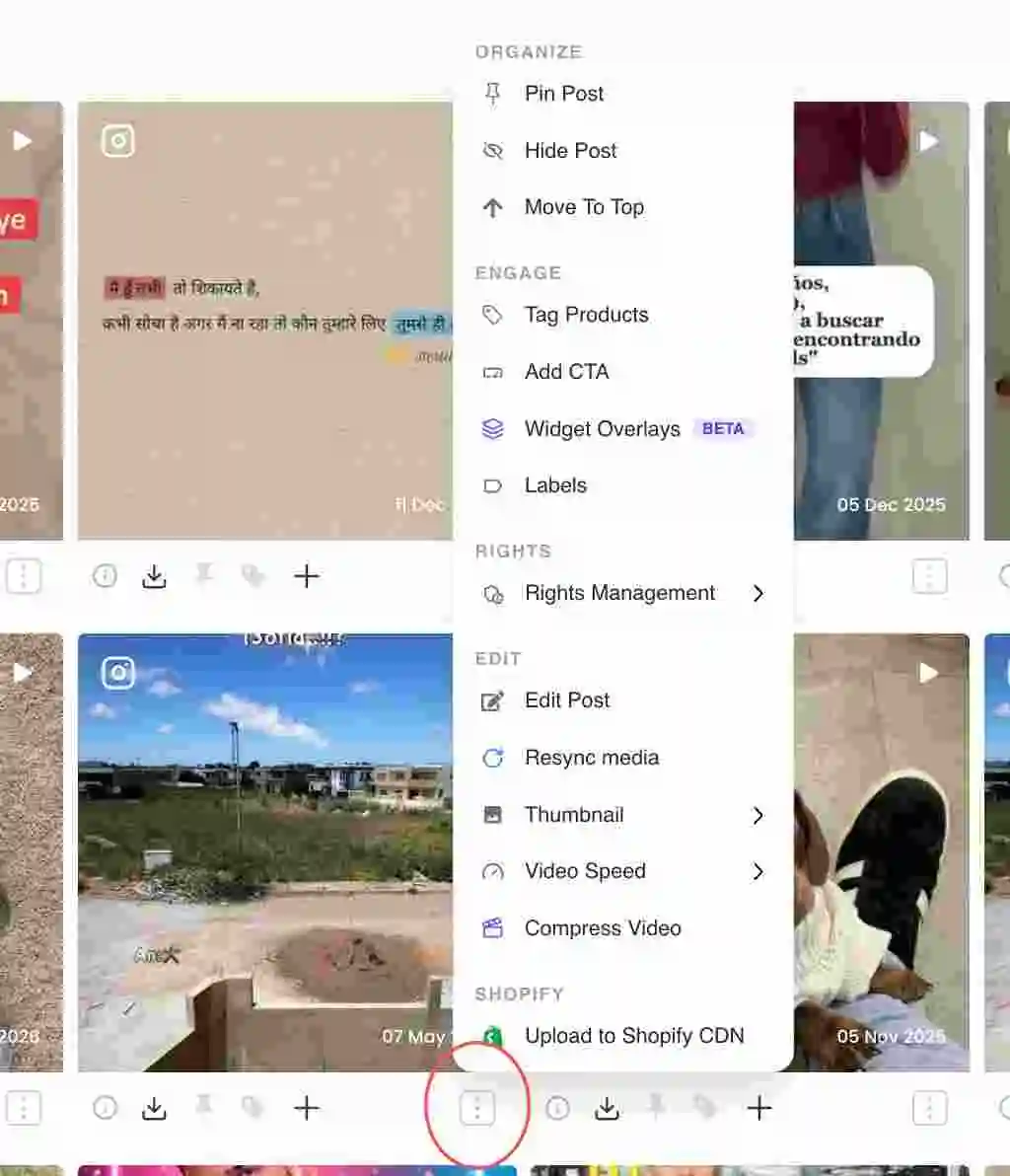
Three-dot actions menu on a post card - Choose Labels. 「Engage」セクションの「ラベル」(「Organize with custom tags」)をクリックします。In the dashboard: Labels option under the Engage section of the post menu
- Add or pick labels. 新しいラベルを作成するか、すでに使っているラベルから選んで、投稿に適用します。In the dashboard: Label picker with existing labels and an add-new option
- Filter by label. コレクションのラベルフィルターチップを使うと、指定したラベルが付いた投稿だけを表示できます。
ラベル、商品タグ、権利の違い
- ラベル:社内での整理用です。見られるのはチームだけです。
- 商品タグ:購入者が購入のためにクリックするSKUです。Tag Products で追加します。
- 権利ステータス:投稿を公開してよいかどうかを示します。Rights Management で設定します。
関連ガイド
- 投稿にCTAを追加する:/help/add-a-cta-to-a-post
- コレクション内の投稿を並べ替える:/help/reorder-posts
- 商品を手動でタグ付けする:/help/manual-product-tagging


