
Il modo più veloce per riempire una collezione è importare i contenuti social che già esistono. Idukki li importa dalla finestra Add Feed: scegli una rete, scegli un tipo di feed, inserisci un nome utente, un hashtag o un URL. I post corrispondenti arrivano nella tua collezione e si aggiornano di continuo.
Importa tramite username, hashtag o URL
- Open Add Feed. Da una collezione, clicca su Add Feed. Se la collezione è vuota, al centro della pagina trovi un grande pulsante Add Feed.
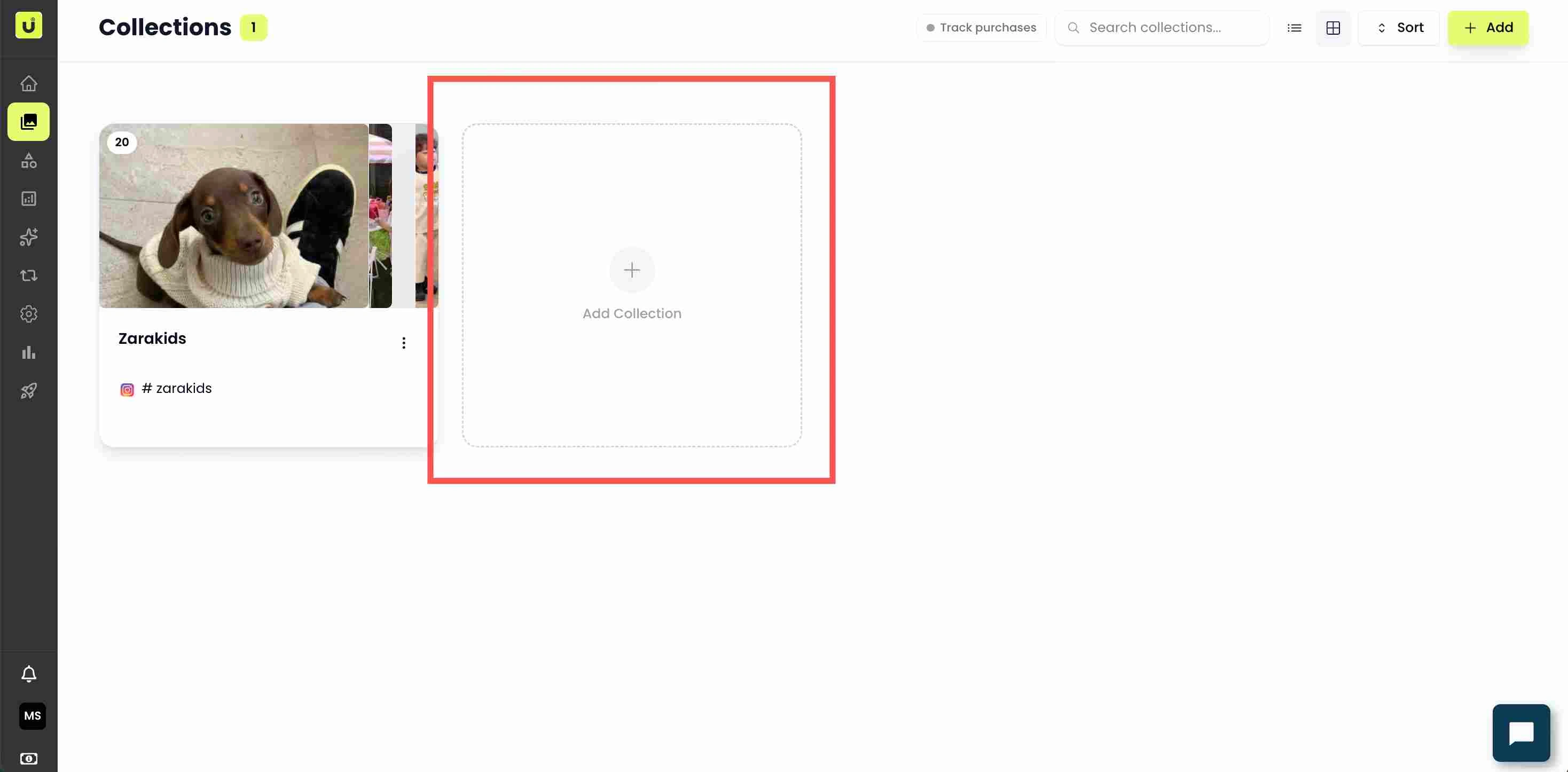
The Add Feed button on a collection - Choose the network. Scegli la fonte a sinistra della finestra: Instagram, Facebook, TikTok, YouTube, X (Twitter), Threads, Pinterest e altre.
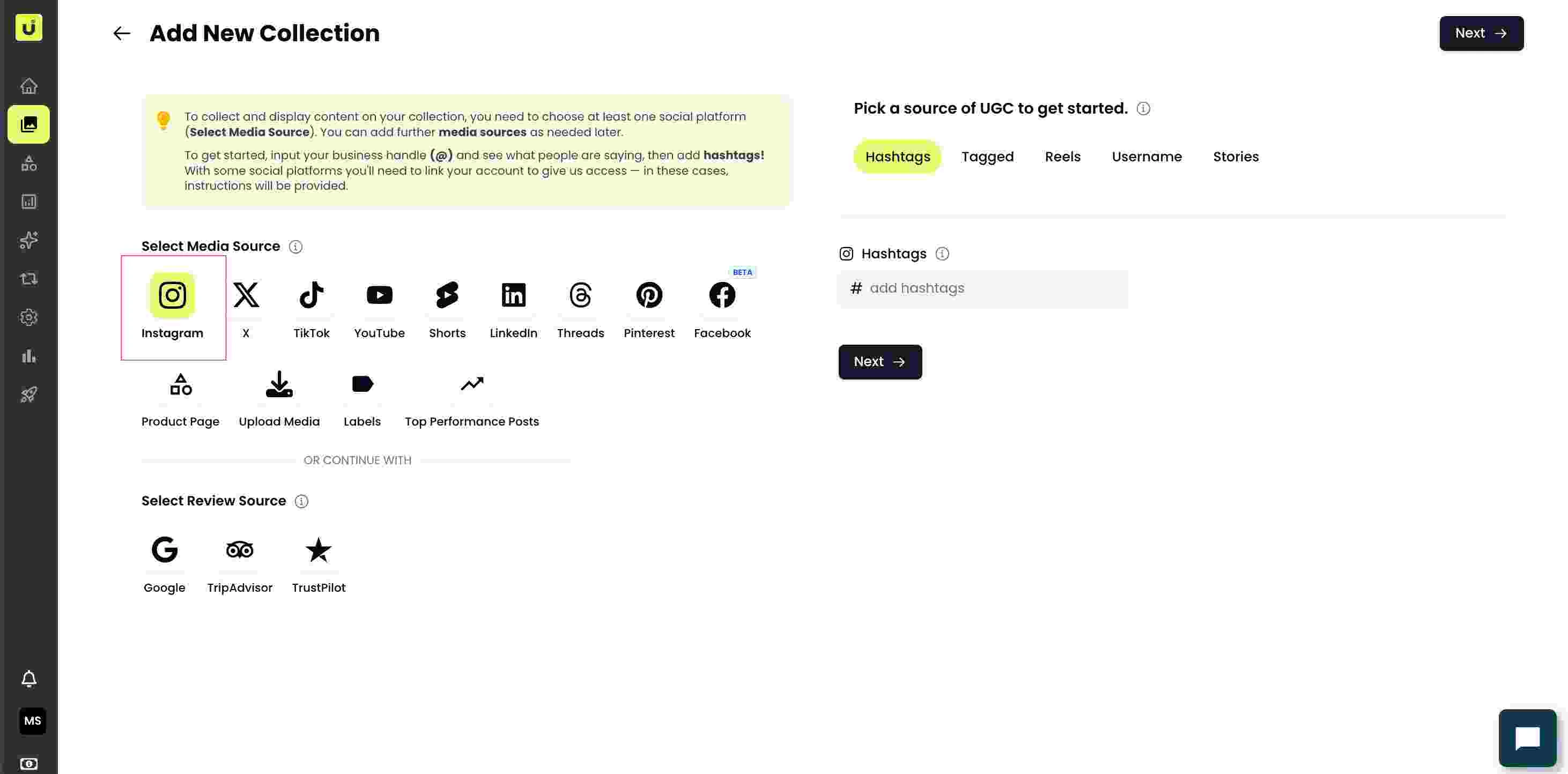
Network list on the left of the Add Feed dialog - Choose the feed type. Ogni rete mostra i propri tipi di feed. Instagram offre Username, Hashtag, Tagged, Reels e Stories. TikTok offre Username e Hashtag. YouTube offre Channel, Keyword e Playlist. X offre Username e Hashtag.
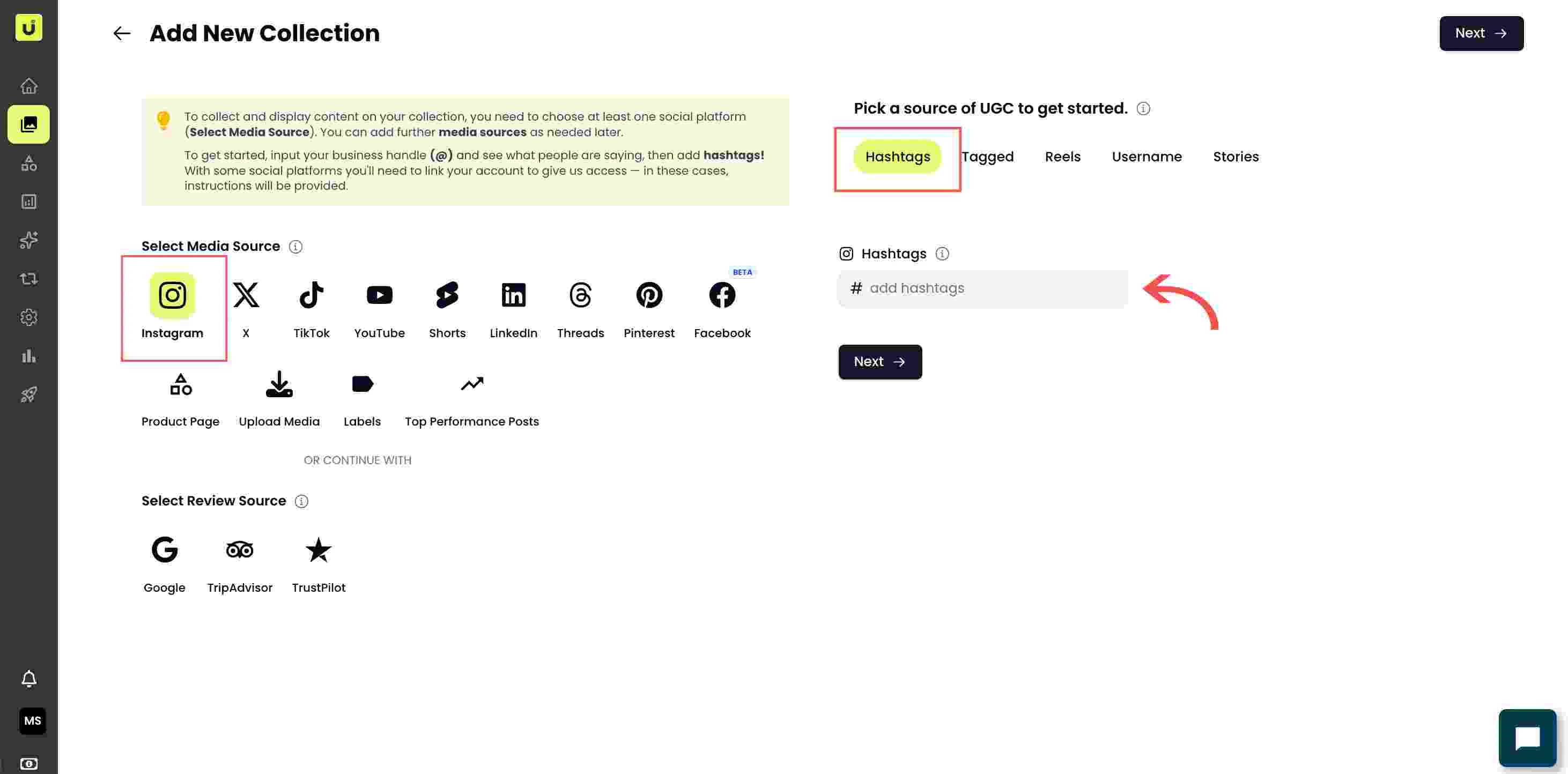
Feed type tabs for the selected network - Enter the value. Scrivi lo username senza @, oppure l'hashtag senza #. Per le bacheche o i siti di recensioni incolla l'URL. Il campo mostra un suggerimento, ad esempio "Please add username without '@'".
- Connect the account if prompted. Alcune reti (come YouTube) richiedono prima il collegamento dell'account. Si apre una finestra di connessione: accedi, approva l'accesso in lettura e torna ad Add Feed.
- Add the feed. Conferma per aggiungere il feed. La prima importazione parte in background. Il feed continua a cercare nuovi post corrispondenti, quindi la collezione resta aggiornata da sola.
Problemi comuni
Se un feed non restituisce nulla, controlla che l'account o l'hashtag sia pubblico e che tu abbia inserito il valore senza @ o #. Se le importazioni si fermano in un secondo momento, autorizza di nuovo l'account collegato: i token delle piattaforme possono scadere.
Guide correlate
- Collega le fonti social (Instagram, Facebook, TikTok, YouTube, X, Threads, Pinterest): /help/connect-social-sources
- Collega le fonti di recensioni (Google, Trustpilot, TripAdvisor, Judge.me): /help/connect-review-sources
- Carica contenuti dal tuo dispositivo: /help/upload-content-from-device


