
Modifica post ("Modifica didascalia e dettagli") ti permette di cambiare il testo e i dettagli che compaiono con un post. Così nel widget il testo si legge come vuoi tu, e non come è arrivato dalla fonte.
Modifica un post
- Open the post’s menu. Clicca sul menu delle azioni con i tre puntini sul post.
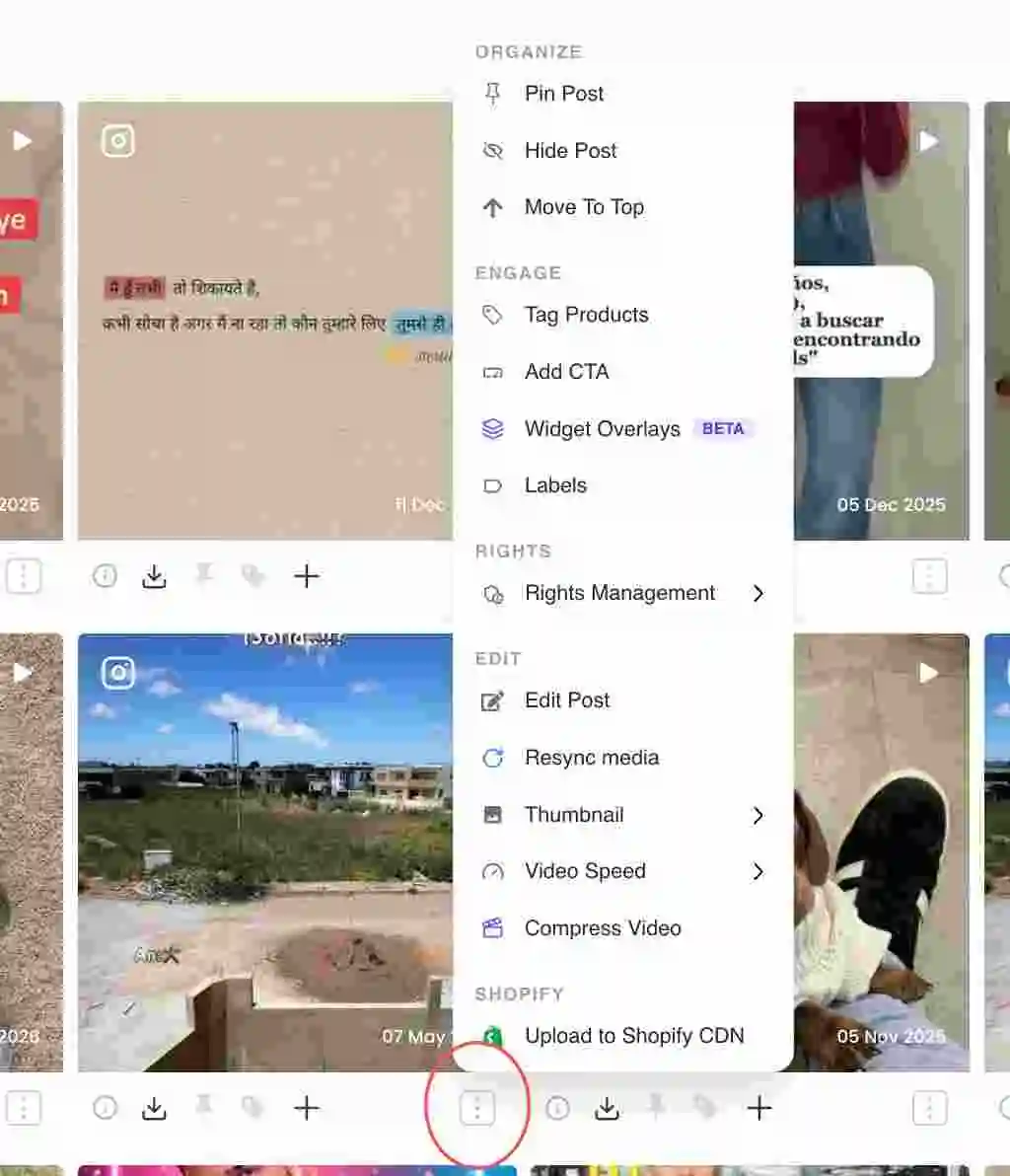
Three-dot actions menu on a post card - Choose Edit Post. Nella sezione Modifica, clicca su Modifica post ("Modifica didascalia e dettagli").In the dashboard: Edit Post option under the Edit section of the post menu
- Make your changes and save. Aggiorna la didascalia e gli altri dettagli modificabili, poi salva. Il widget mostra la modifica.
Guide correlate
- Imposta o genera la miniatura di un video: /help/set-video-thumbnail
- Aggiungi etichette a un post: /help/add-labels-to-a-post
- Aggiungi una CTA a un post: /help/add-a-cta-to-a-post


