
Una fonte è il luogo da cui arrivano i tuoi UGC: un account social, un hashtag, un feed di menzioni o una piattaforma di recensioni. Collegarne una è il primo passo concreto, perché tutto il resto (raccolte, widget, tag) usa i post che la fonte importa.
Idukki supporta Instagram, Facebook, TikTok, YouTube, X (Twitter), Threads e Pinterest per i social. Per le recensioni supporta Google Reviews, Trustpilot e TripAdvisor, più Judge.me tramite la sua integrazione dedicata. Import Media, Posts by Products e Posts by Label aggiungono i tuoi caricamenti e i post con tag.
Aggiungi una fonte
- Open the Add Feed dialog. Da una raccolta, clicca su Add Feed (una raccolta vuota mostra un grande pulsante Add Feed al centro della pagina).
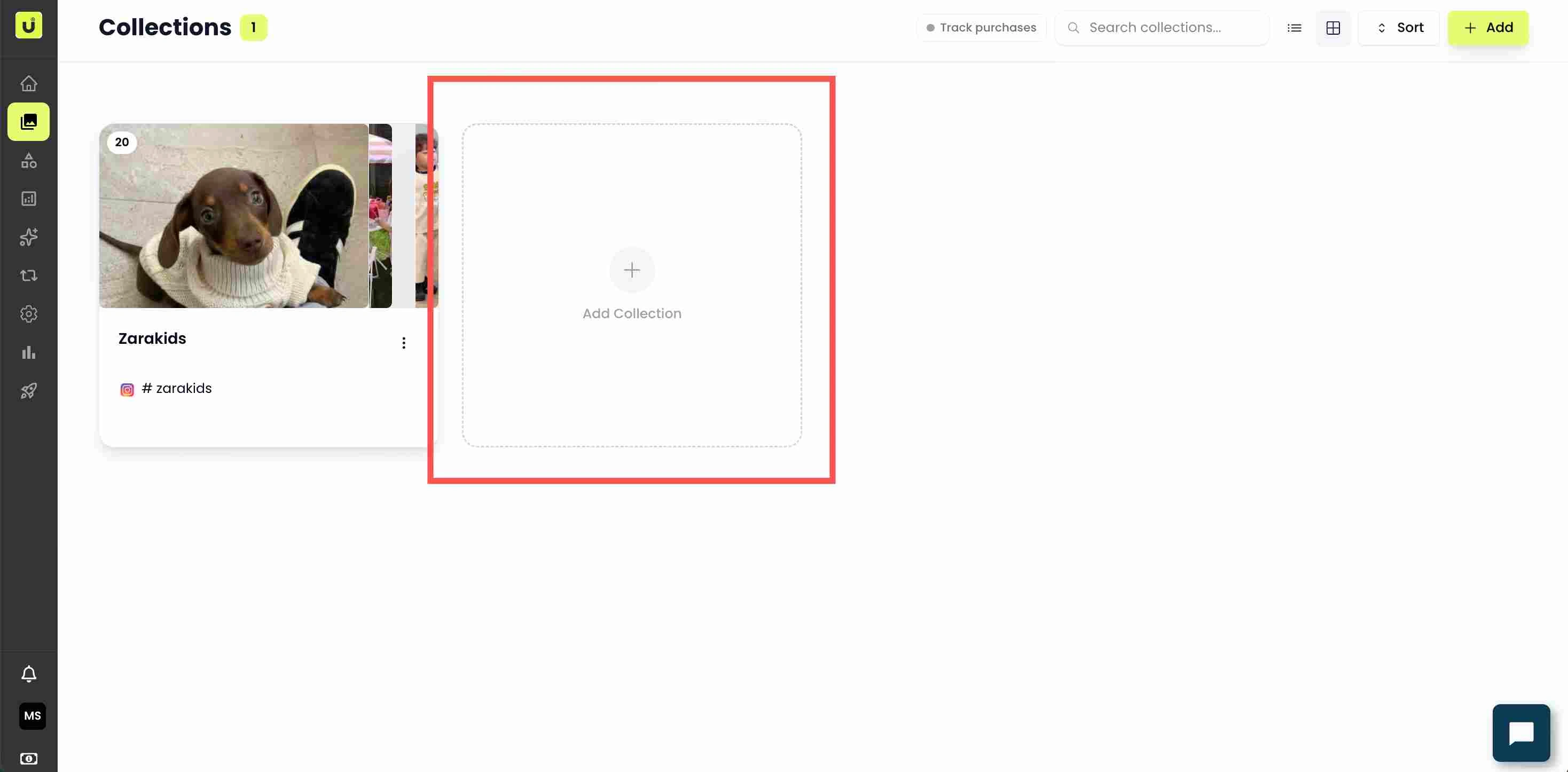
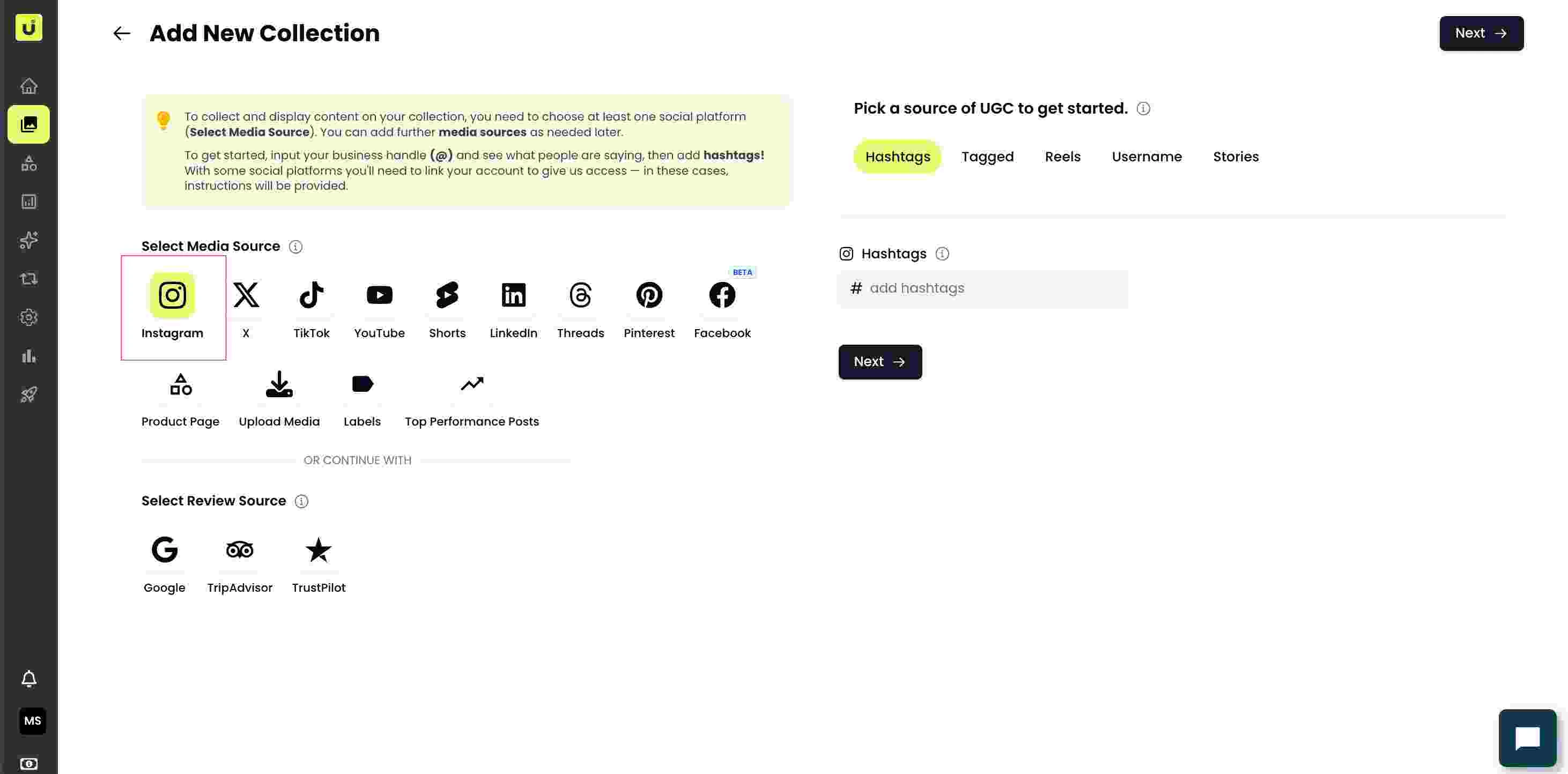
The Add Feed button on an empty collection - Pick a platform. Nella finestra Add Feed, scegli il social di origine dal menu a sinistra, per esempio Instagram o TikTok.
Source network picker in the Add Feed dialog - Choose the feed type. Ogni social offre diversi tipi di feed. Su Instagram puoi scegliere Username, Hashtag, Tagged, Reels o Stories; su YouTube sono Channel, Keyword o Playlist. Scegli quello che corrisponde a ciò che vuoi importare.
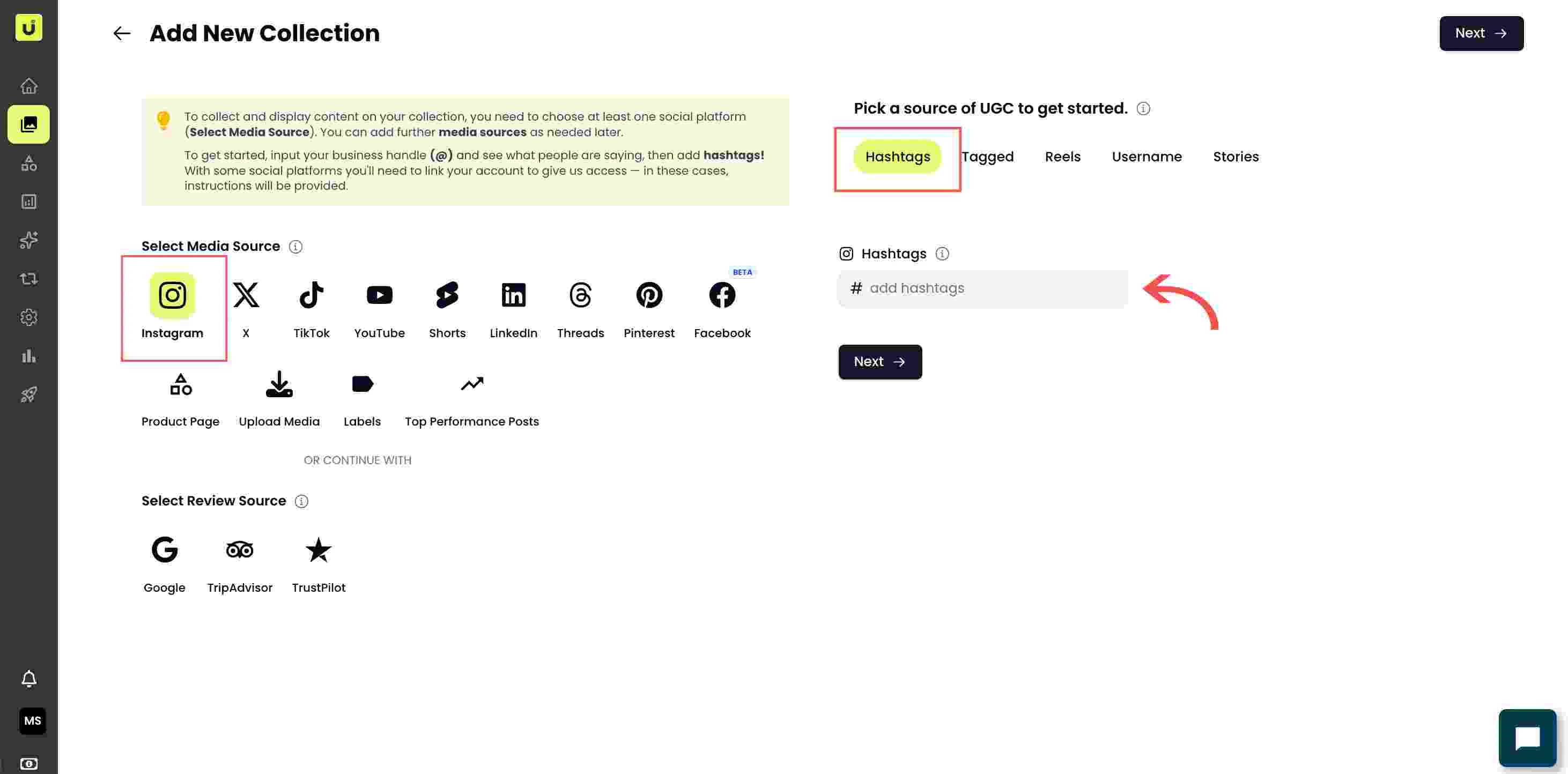
Feed type tabs (Username, Hashtag, Tagged, Reels, Stories) for the chosen network - Enter the handle or term. Scrivi il valore nel campo. Per un username, inseriscilo senza @. Per un hashtag, inseriscilo senza #. Alcuni tipi ti permettono di cercare e scegliere da un elenco.
- Authorise if asked. Se il social richiede il collegamento di un account (YouTube, per esempio), si apre una finestra di connessione. Accedi e approva l'accesso in lettura, così Idukki può vedere i post pubblici.
- Add it. Conferma per aggiungere il feed. La prima importazione parte in background e il feed continua ad aggiornarsi quando compaiono nuovi contenuti corrispondenti, quindi non serve reimportare.
Problemi comuni
Se non viene importato nulla, verifica che l'account o l'hashtag sia pubblico e che tu abbia approvato l'accesso in lettura durante l'autorizzazione. I post appena pubblicati possono impiegare un po' di tempo ad apparire alla prima sincronizzazione. Se in seguito il collegamento si interrompe, autorizza di nuovo la fonte dalle sue impostazioni.
Guide correlate
- Collega le fonti social (Instagram, Facebook, TikTok, YouTube, X, Threads, Pinterest): /help/connect-social-sources
- Collega le fonti di recensioni (Google, Trustpilot, TripAdvisor, Judge.me): /help/connect-review-sources
- Carica contenuti dal tuo dispositivo: /help/upload-content-from-device


