
Si quelqu’un met en doute votre autorisation d’utiliser une publication, le journal des modifications fournit la réponse. Il se trouve en bas du sous-menu Gestion des droits de la publication. Il affiche l’historique complet et horodaté de chaque action liée aux droits sur cette publication.
Ouvrir le journal des modifications
- Open the post’s menu. Cliquez sur le menu d’actions à trois points de la publication.
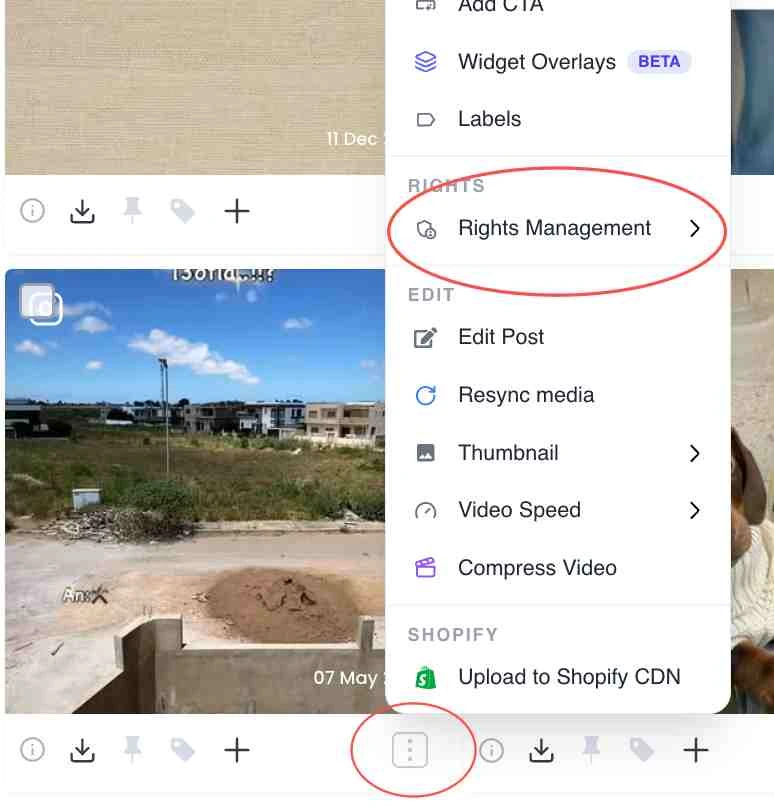
Three-dot actions menu on a post card - Expand Rights Management. Dans la section Droits, survolez Gestion des droits pour ouvrir son sous-menu.
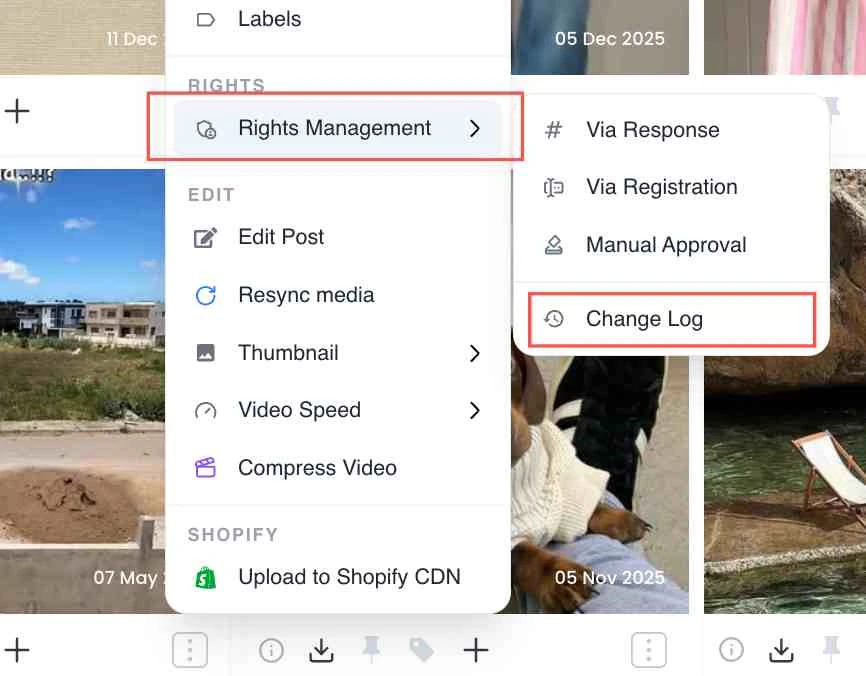
Rights Management submenu expanded under the Rights section - Click Change Log. En bas du sous-menu, cliquez sur Journal des modifications pour ouvrir la chronologie de l’historique des droits de la publication.
Change Log option at the bottom of the Rights Management submenu - Read the timeline. Le journal affiche le statut actuel et une entrée datée pour chaque événement. Vous voyez ainsi exactement quand et comment les droits ont été demandés, accordés ou révoqués.
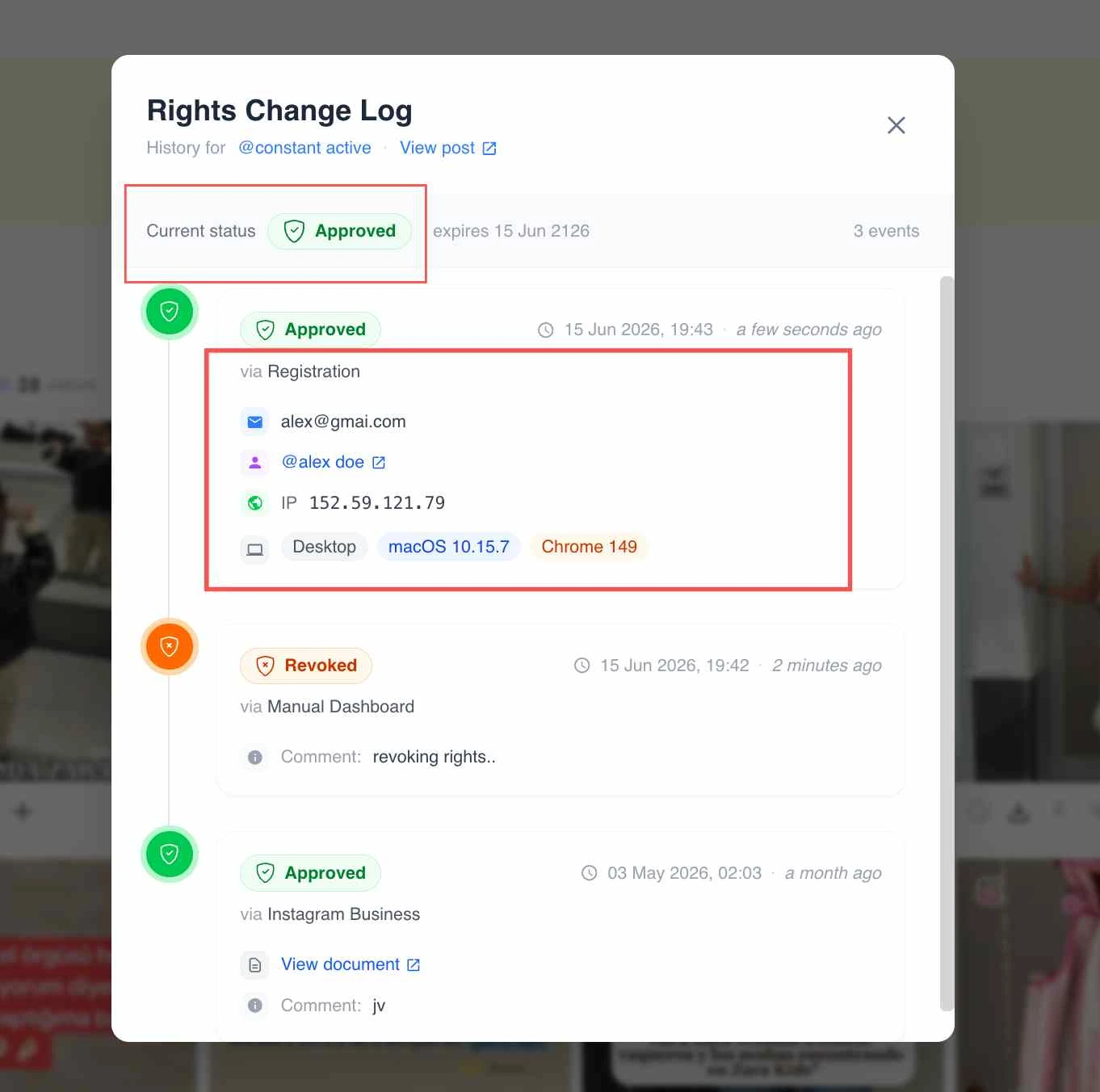
The rights Change Log timeline for a post
Ce que le journal enregistre
- Le statut actuel des droits de la publication (par exemple approuvé, en attente ou révoqué).
- Un événement daté pour chaque action : demandes envoyées, approbations, révocations et refus.
- Le mode utilisé (Via Response, Via Registration ou Manual Approval), le cas échéant.
Guides associés
- Gestion des droits sur une publication : les quatre modes : /help/rights-management-on-a-post
- Journaux de consentement et piste d’audit : /help/consent-log-and-audit-trail
- Approuver du contenu et gérer les droits : /help/approve-content-rights


