
Edit Post (« Modify caption and details ») vous permet d’ajuster le texte et les détails qui s’affichent avec un post. Le texte apparaît ainsi dans le widget comme vous le souhaitez, et non tel qu’il est arrivé de la source.
Modifier un post
- Open the post’s menu. Cliquez sur le menu d’actions à trois points du post.
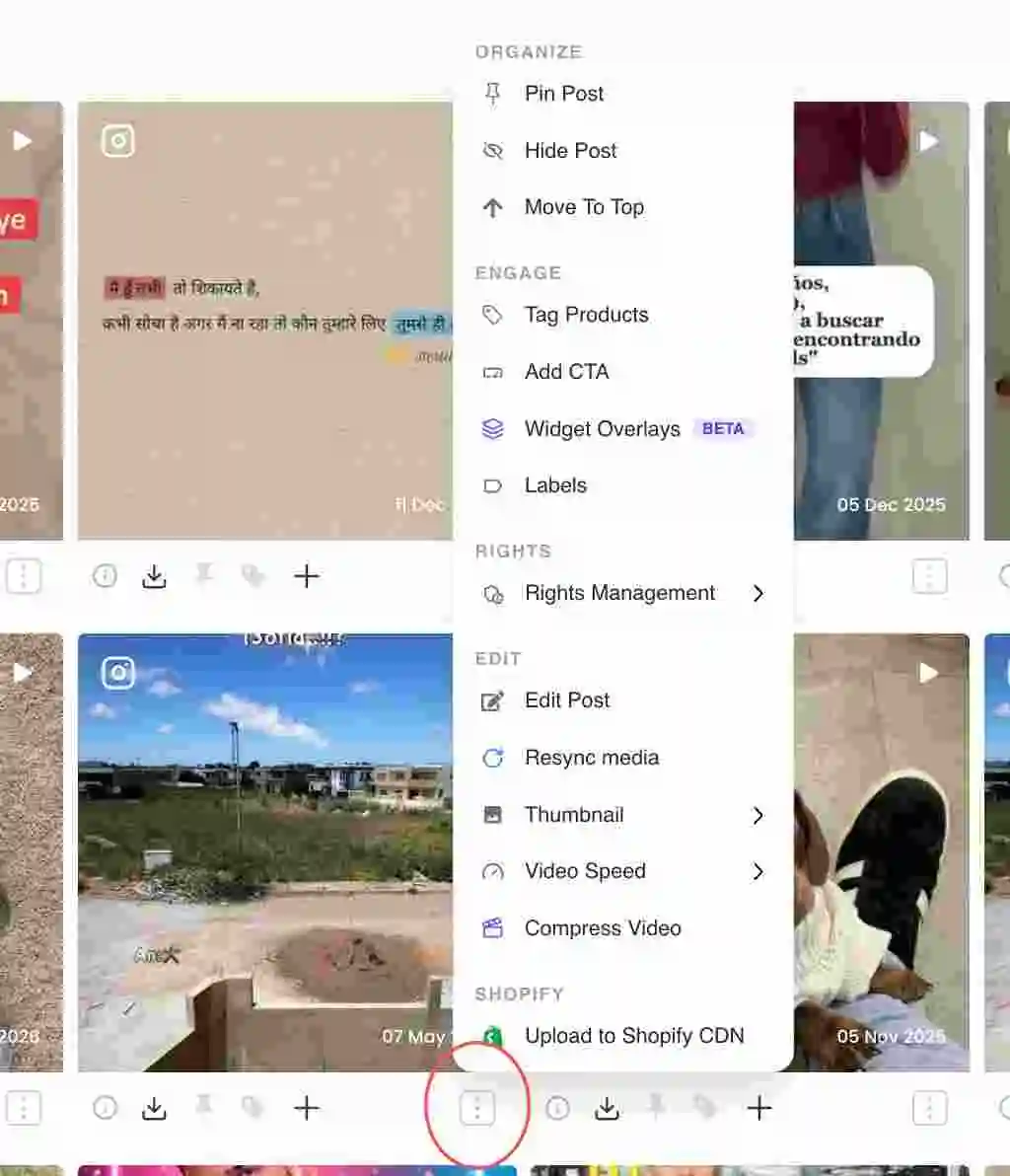
Three-dot actions menu on a post card - Choose Edit Post. Dans la section Edit, cliquez sur Edit Post (« Modify caption and details »).In the dashboard: Edit Post option under the Edit section of the post menu
- Make your changes and save. Mettez à jour la légende et les détails modifiables, puis enregistrez. Le widget reprend la modification.
Guides associés
- Définir ou générer une miniature de vidéo : /help/set-video-thumbnail
- Ajouter des étiquettes à un post : /help/add-labels-to-a-post
- Ajouter un CTA à un post : /help/add-a-cta-to-a-post


