Fashion + Apparel: Conversion Lift Playbook
Fit is why fashion shoppers hesitate and why they send things back. This playbook shows where customer outfit content earns its place on a fashion store (next to the size selector, in a lookbook, on the PDP, in email), how to test each placement against your own baseline, and how to read the result honestly.
- 10 min read
- For: fashion ecom, ecommerce leader, cmo

AOV lift by layout
- Static+30%
- Fit-check+76%
- Lookbook+68%
 Playbook · 10 min read
Fashion + Apparel: Conversion Lift Playbook
What you’ll learn
- Why fit is the conversion and returns problem in fashion, with the public data on both
- Where to place fit-check content on the PDP, and the test that tells you whether it is working
- How to build a shoppable lookbook from customer outfits rather than a studio shoot
- A decision tree for stories versus grid on the PDP, and a Klaviyo web-feed setup that puts product-tagged UGC in email
Chapter previews
- Chapter 01
Fit is the problem to solve
The returns data, the image research, and why the size guide is the most under-used conversion surface on a fashion PDP.
- Chapter 02
Fit-checks beside the size selector
What a useful fit-check shows, where it goes, how to collect it, and the A/B test that proves (or disproves) it on your own store.
- Chapter 03
Lookbooks built from customer outfits
Hotspot-tagged lookbooks composed from real customer posts, where they belong on the site, and what to measure.
- Chapter 04
Stories versus grid on the PDP
A decision tree for choosing the format by traffic, content and page role, then testing the choice rather than assuming it.
- Chapter 05
Product-tagged UGC in Klaviyo
Using a web feed of product-tagged posts in browse-abandonment and post-purchase flows, filtered to the product the email is about.
Inside the playbook
In this article
Fashion ecommerce has a specific version of the online trust gap. A shopper can see colour and cut in a studio shot, but not how the garment falls on a body like theirs, how the size runs, or what it looks like outside a lit set. They either hesitate, or they buy two sizes and send one back. Customer content is the cheapest way to close that gap, as long as it sits where the doubt happens and you measure it against your own numbers rather than someone else's.
This playbook covers five placements, in the order most fashion stores should tackle them. Each is framed as a test with a metric attached, because the honest answer to "how much will this lift conversion" is that it depends on your catalogue, your price points and your traffic, and a two-week experiment will tell you more than any vendor claim.
Fit is the problem to solve
Returns are the visible cost of the fit gap. The National Retail Federation and Happy Returns estimate that retailers expect 15.8% of all 2025 sales to be returned, and 19.3% of online sales. Fashion is not the only category in those figures, but anyone running an apparel P&L knows size and fit sit near the top of their own returns reasons.
19.3%
of US online sales expected to be returned in 2025
NRF and Happy Returns, 2025 Retail Returns Landscape
42%
of users try to judge a product's size from its product images
Baymard Institute, product page UX research
23%
of benchmarked sites do not provide a human-model image
Baymard Institute, product page UX best practices 2026
+162.8%
conversion on Clothing and Accessories PDPs with 101+ reviews versus none
PowerReviews, review volume analysis (correlational)
Baymard's research is the useful bridge here. Shoppers try to read size and scale from images, and Baymard recommends showing apparel and accessories on a human model because it gives an in-scale reference and helps shoppers imagine the product on themselves. A studio model gives one reference body. Customer photos give many, which is the point: the shopper looks for someone who resembles them.
The PowerReviews figure is worth quoting carefully. It compares pages with many reviews against pages with none across retail sites, so it mixes the effect of social proof with the fact that popular products attract reviews. Treat it as evidence that review-rich pages convert better, not a lift you should forecast. The piece on reducing returns with pre-purchase UGC goes deeper on the returns side, and the fashion industry page shows the layouts fashion stores tend to use.
Fit-checks beside the size selector
A fit-check is a customer photo or short video that answers a fit question: how it sits on the shoulders, where the hem lands, how much stretch there is. It is most useful at the moment the shopper chooses a size, so it belongs next to the size selector or inside the size guide, not in a generic gallery further down the page.
What makes a fit-check useful. Full-length or clearly framed shots, natural light, the garment worn rather than held, and ideally the size the customer bought and their usual size in the caption or review. Aesthetic but uninformative posts (cropped, heavily filtered, flat lays) belong in inspiration galleries, not the size decision.
How to collect them. Ask in the post-delivery email for a photo in the item with the size they chose, and give customers an upload route on your own site so you are not dependent on who happens to tag you publicly. Idukki's collect page handles on-site submission. Anything you pull from Instagram or TikTok needs a rights request before it goes live; the rights management workflow records who agreed to what.
How to place them. Tag each approved fit-check to the product, then add a compact gallery near the size selector filtered to that product. On an Idukki embed the placeholder div takes a product filter so each PDP shows only content tagged to its own item, and a mini-frame or carousel keeps the block small enough not to push the buy button down on mobile.
| Element | Control (A) | Variant (B) | What to read |
|---|---|---|---|
| Placement | No UGC near the size selector (existing size guide only) | Compact fit-check gallery directly under the size selector | Add-to-cart rate on the PDP |
| Pages | Top 10 to 20 PDPs by traffic | The same pages | Keep traffic mix comparable in both arms |
| Duration | At least two full weeks | The same | Both weekday and weekend behaviour in each arm |
| Secondary reads | Conversion, AOV | Conversion, AOV | Size-related return reasons at 30 to 45 days |
Lookbooks built from customer outfits
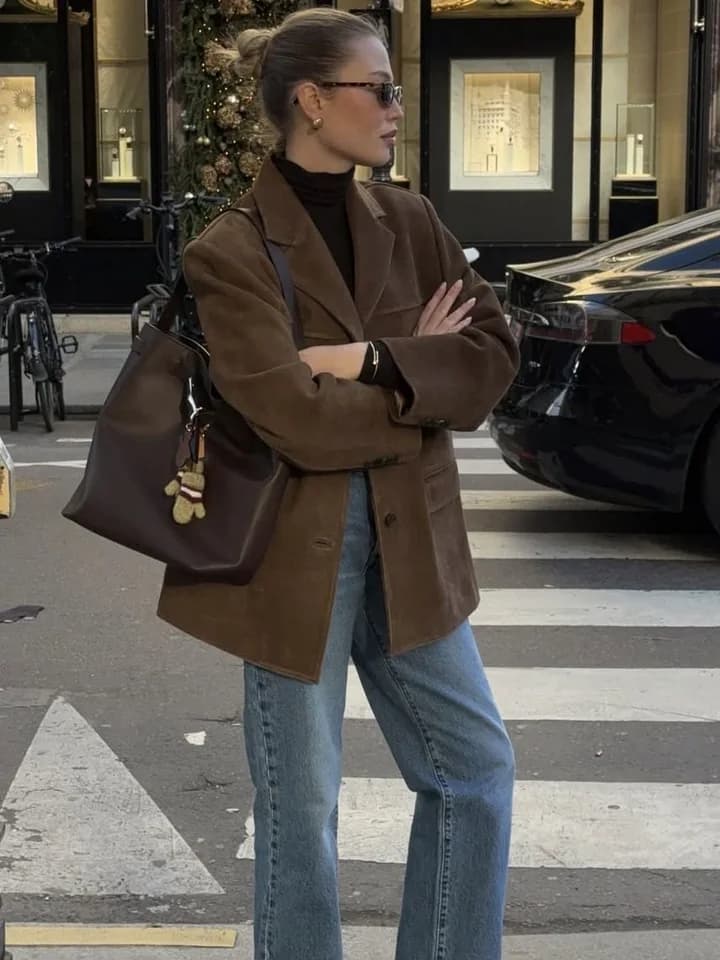
A lookbook does a different job from a fit-check. It sells the outfit, not the size, and it works best on campaign, collection and landing pages where the shopper is browsing rather than deciding. Building one from customer outfits instead of a studio shoot is cheaper, faster to refresh, and shows the clothes styled the way real people wear them.
In Idukki, a lookbook can be composed from posts in your library, uploaded images or a PDF, with product hotspots dropped on each page that open a drawer with the product and buy buttons. It publishes as a shareable URL plus an embed snippet, and views and clicks are tracked per hotspot. The lookbook help article has the steps, and the lookbook versus flipbook versus grid comparison covers when each format fits.
From customer posts to a shoppable seasonal lookbook
- 01
Shortlist
Pull the best outfit posts for the season from hashtags, mentions and on-site uploads. Favour clear, full-length shots with several of your products visible.
30 to 40 candidates
- 02
Clear rights
Send a rights request to every creator on the shortlist and drop anyone who does not reply. Only cleared posts move on.
Consent logged
- 03
Compose and tag
Order the pages by story (occasion, colour, weather), then drop a hotspot on every product shown.
Every item tagged
- 04
Publish and read
Embed on the campaign page, share the URL in email and social, and read clicks per hotspot to see which looks sell.
Per-hotspot clicks
What to measure. Pages per session and hotspot click-through tell you whether the lookbook is engaging; attributed add-to-cart tells you whether it sells. Compare against the page's previous hero (usually a studio campaign) over a comparable period, and do not compare a lookbook launched in peak week with a studio hero from a quiet one.
Stories versus grid on the PDP
The format question comes up on every fashion PDP. Stories (full-screen, swipeable, video-friendly) suit mobile traffic and outfit video. A grid shows many looks at once and lets the shopper scan for a body like theirs. There is no universal winner, which is why the choice should be a test. The tree below gets you to a sensible starting hypothesis.
Which PDP format to test first
Start here
Is most of your PDP traffic on mobile, and is most of your approved content video?
- Yes to both
Start with stories
Vertical video in a story format matches how the content was shot and how the shopper is holding the phone.
- If the story block pushes the buy button below the fold: Use a compact story ring above the description instead of a full-width block.
- If video counts are low per product: Mix in photos, or use a carousel until you have more video.
- Mostly photos, or mixed traffic
Start with a grid
A grid lets shoppers scan several bodies and outfits at once, which is what a fit decision needs.
- If the product has fewer than six approved posts: Use a mini-frame or carousel so a sparse grid does not look empty.
- If desktop traffic dominates: A wider grid near the reviews band usually reads well.
Once you have a hypothesis, test it. Idukki's A/B testing runs one experiment per widget with control against one variant, counts impressions, clicks, conversions and revenue per variant, and allows a winner to be declared once each variant passes 1,000 impressions. Treat 1,000 impressions as the earliest point to look; conversion differences on fashion PDPs usually need more traffic than that to be readable, and the free significance calculator will tell you whether you are there.
Product-tagged UGC in Klaviyo
The same content that helps a PDP helps an email. A browse-abandonment email that shows the jacket on three real customers is more persuasive than one that repeats the studio shot the shopper already walked away from. The practical route is a Klaviyo web feed: Klaviyo fetches a JSON URL and makes its contents available in the template, refreshing flow content periodically and fetching once per send for campaigns.
Idukki exposes a public, Klaviyo-compatible web feed of approved, product-tagged posts. It returns twelve posts by default and up to fifty with a limit parameter, and appending the Shopify product id returns only posts tagged to that product, so the block can match the item in the email. An unknown product returns an empty array, which lets the block hide cleanly. The Klaviyo integration page has the feed URL format and setup steps, and UGC in email and Klaviyo flows covers which flows to start with.
- Browse abandonment. Filter the feed by the viewed product. Show two or three fit-checks with the product link.
- Post-purchase. Show how other customers styled the item they bought, then ask for their own photo in the same email.
- New arrivals campaign. Use the unfiltered feed for the latest approved posts across the range.
- What it does not do yet. Segment-aware selection (choosing posts by the recipient's segment rather than by product) is planned, not live, so build segment logic in Klaviyo for now.
Frequently asked questions
Does UGC reduce returns for fashion brands?
It can, when the content answers fit questions (size bought, how it sits, length) and sits next to the size decision. Measure it: compare size-related return reasons on orders from pages with and without fit-check content over 30 to 45 days.
Where should customer photos go on a fashion product page?
Fit-checks belong beside the size selector or inside the size guide, where the fit decision happens. Broader outfit inspiration works lower on the page or on collection and campaign pages.
Should I use stories or a grid on my PDP?
Start from your traffic and content: mostly mobile and mostly video suggests stories; photo-heavy or mixed traffic suggests a grid. Then A/B test the choice for at least two full weeks.
Do I need permission to use customer outfit photos in a lookbook?
Yes. A lookbook is commercial use of someone's image. Send a rights request and keep a record of consent before the post goes live, and only use posts from creators who agreed.
Can I show UGC for a specific product in Klaviyo emails?
Yes. Add Idukki's web feed in Klaviyo and append the product id so the feed returns only posts tagged to that product. It suits browse-abandonment and post-purchase flows.
Sources and further reading
- 1NRF and Happy Returns, Consumers expected to return nearly $850 billion in merchandise in 2025
- 2Baymard Institute, Product page UX best practices 2026
- 3Baymard Institute, Provide images of accessory, apparel and cosmetic products on a human model
- 4PowerReviews, The impact of review volume on conversion (Clothing and Accessories)
- 5Klaviyo Help Center, How to add a custom web feed in an email
Send the link to your inbox.
The full playbook is on this page. Drop your email and we’ll send you the link so you can come back to it. One email, no drip sequence.
- Why fit is the conversion and returns problem in fashion, with the public data on both
- Where to place fit-check content on the PDP, and the test that tells you whether it is working
- How to build a shoppable lookbook from customer outfits rather than a studio shoot