
In this video
mallewear.com
Fashion · Streetwear
Circle-stories widget on every PDP. Captured on the live store in July 2026.
₹463KProven revenue
Circle stories on every product page drove ₹463K in proven revenue from 128 orders
Read the Malléwear case study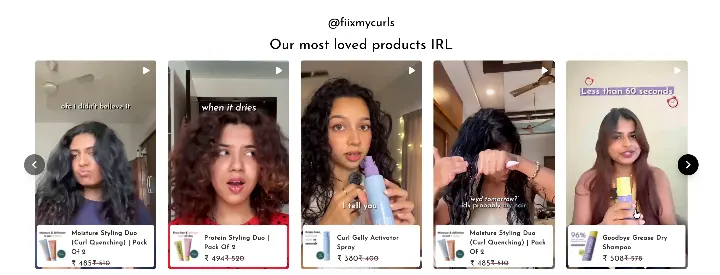
The moment
The doubt this widget settles
Streetwear shoppers spend their day in Instagram Stories. On a product page, a flat photo grid feels like a step back. Malléwear puts circle stories on every product page.
What it gets you
Shoppers get the format they already know, on the page where they pick a size.
Product page gallery · Fashion · Streetwear
Build this on your store
- 01
Import your posts
Import from Instagram, TikTok or YouTube, or upload your own photos and videos.
- 02
Approve and clear rights
Hide anything off-brand from the post menu. Ask the creator on their post and record the yes. Publish only posts marked Approved.
- 03
Tag every product
Tag each post with the products it shows. The product page uses those tags to find its posts.
- 04
Pick the layout
Carousel fits tight space on a product page. Stories Ring opens a full-screen story viewer.
- 05
Add it to the product template
On Shopify, add the Product Page UGC block. Elsewhere, set filter-pid on the embed to the product id.
Questions before you build one
- Is this the real mallewear.com store?
- Yes. We captured it on the live page in July 2026. The See it live button opens that page.
- Does each product page show its own posts?
- Yes. The embed takes the product id as filter-pid. Then only posts tagged with that product show.
- Can shoppers buy straight from it?
- Yes, once the post has products tagged. Shoppers add to cart inside the gallery on Shopify, WooCommerce, Magento, PrestaShop and BigCommerce. On Salesforce Commerce Cloud, this is in early access. Other stores open the product page.
See it on a store like yours.
Set it up on Shopify, WooCommerce, BigCommerce, Magento or a custom site. Or browse case studies by industry first.
On Shopify? Install from the App Store.